Integrations
Gosendly and Make
With Make you connect Gosendly to software that has no direct integration, like a back-office tool or a form on your website. The scenario reads the event and calls a Gosendly flow's trigger address with the “HTTP” module; the other way round, Gosendly's events reach Make through a webhook. WooCommerce, PrestaShop, Magento and the other store platforms don't need it: they connect directly, as shown on the integrations map.
What it does
Make picks up the event from your software, prepares the customer's phone number and details and calls the flow's trigger address: Gosendly creates or updates the contact and sends the flow's messages. There's no dedicated Gosendly app on Make: you use the “HTTP” and “Webhooks” modules.
How to connect it
- 1
Set up the flow in Gosendly
Create an automation with the “From another tool” trigger (in the app: *Da un altro strumento*), open “Trigger address” in the builder and click “Create the address”. Copy it: anyone who knows it can start the flow.
- 2
Read the event
In Make, choose the module of the app where the event starts, with its “Watch…” or “New…” trigger. If the app can call an address, use “Webhooks” › “Custom webhook” and have it call the URL Make gives you.
- 3
Call Gosendly
Add “HTTP” › “Make a request”: method POST, URL the trigger address, Body content type application/JSON, Body input method “JSON string”. In the JSON put phone, name, country and, in data, the values for the message, such as a case number or an amount.
- 4
Test and activate
Run the scenario once: in Gosendly, under “Calls received”, you see the call with its result. Then turn on both the flow and the scenario.
What to send to Gosendly
The trigger address accepts a simple JSON: “phone” with the country code, for example “+393331234567”, and optionally “name”, “email”, “country” (for example “IT”, useful for numbers written without a country code) and “data” with up to 50 values. In the flow each value in data becomes a variable: with “order” in data, you write {order} in the message.
The contact is created or updated automatically. If the first message goes to someone who hasn't written to you in the last 24 hours, it must be a template approved by Meta. For a confirmation on every order, choose “Re-enter, even twice at once” in the flow settings.
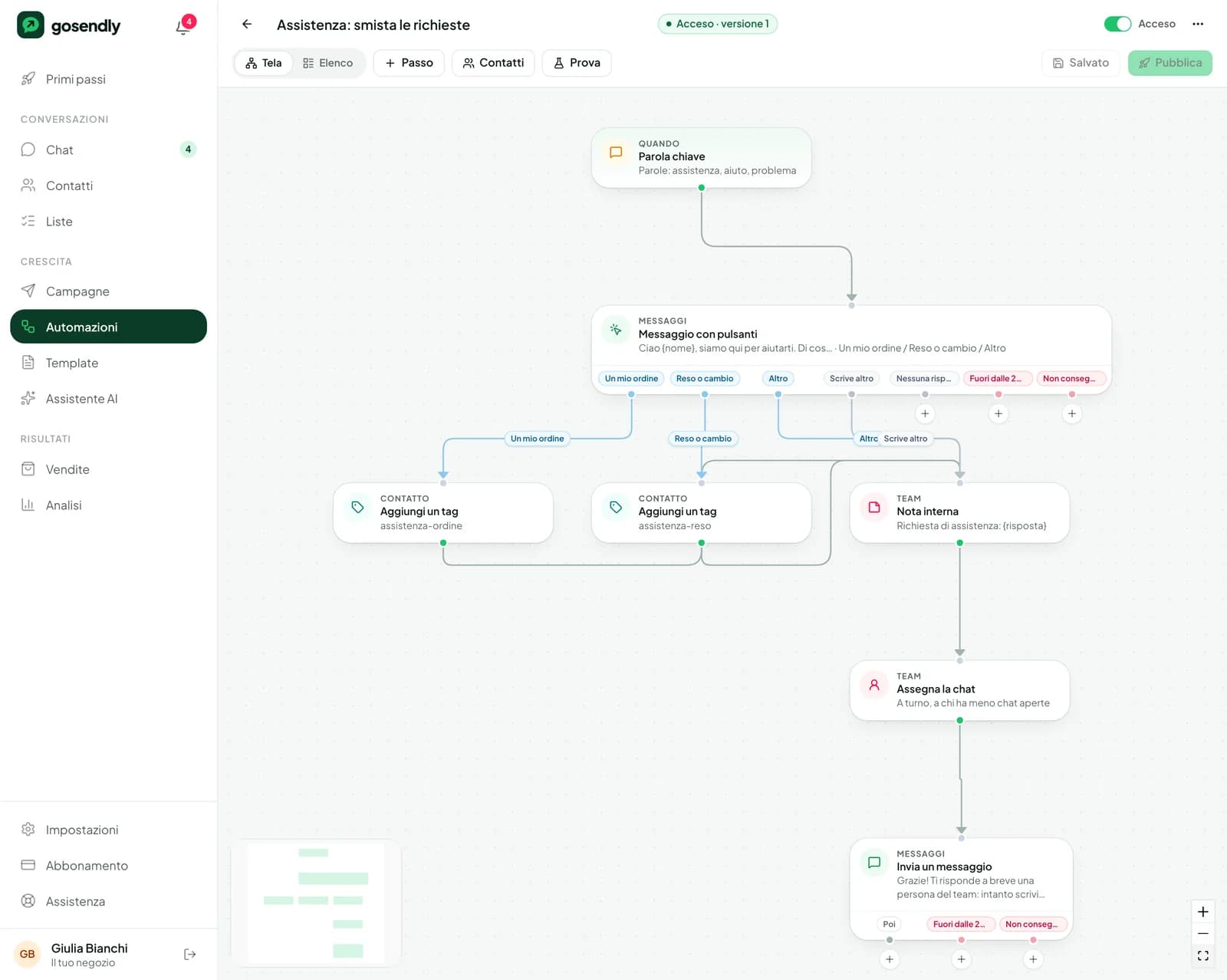
From your store to WhatsApp, in practice
Three examples you can build with a single scenario and a Gosendly automation:
- A form on your website: the contact enters Gosendly and gets the welcome message, if they've given consent.
- A back-office tool: a case marked ready or a booked appointment sends a reminder on WhatsApp.
- A spreadsheet: a new row with a phone number starts the right flow.
From Gosendly to Make
On paid plans, under Settings › Developers › Outgoing webhooks (in the app: *Impostazioni › Sviluppatori › Avvisi esterni*), add the URL of a “Webhooks” › “Custom webhook” module as the address and choose the events: message received, contact created, consent, order, payment, chat assigned and more. Every webhook is signed and stays in the delivery log. To call API v1 from Make, use “API key” authentication in “Make a request”, with the key “Bearer snd_…” in the Authorization header: the details are in API and webhooks.
What to know about Make
Scenarios with a “Watch” trigger check for new data at intervals: every 15 minutes by default, and the minimum interval depends on your Make plan. If you need the event to arrive right away, choose a “Custom webhook”, which runs instantly. Make deactivates webhooks that haven't been linked to a scenario for more than 5 days.
Frequently asked questions
My store is on WooCommerce or PrestaShop: do I need Make?
No. WooCommerce, PrestaShop, Magento, BigCommerce, Wix, Ecwid, Shopware and Odoo connect directly from Settings › Integrations, and orders come in on their own. Make is for software without a direct connection: you'll find them on the integrations map.
Do I need a paid Gosendly plan?
Not to start a flow from Make: the trigger address is available on every plan, on Free with 3 automations. Outgoing webhooks and the API are included in all paid plans.
Does the customer get a message even without having given consent?
Service messages, like an order confirmation, yes. A marketing flow, on the other hand, skips people without consent, and the call result says so.
How many calls can I make?
Up to 120 per minute for each trigger address: enough for a store's orders, and it protects you from a scenario that repeats by mistake.
Keep reading
- IntegrationsGosendly and ZapierWith Zapier you connect Gosendly to software that has no direct integration: a form filled in on your website, a new row in a back-office tool, a…Read
- IntegrationsGosendly and n8nn8n suits people who want their workflows on their own server or already have a trusted developer. It connects to Gosendly both ways: the “HTTP…Read
- IntegrationsGosendly API and webhooksDo you have a custom-built online store, a back-office tool or a platform with no direct integration? With Gosendly's API v1 you send data and…Read
- FeaturesBlock-based WhatsApp automationGosendly's WhatsApp automations are messages that go out on their own at the right moment and stop when they're no longer needed: as soon as the…Read
- FeaturesOrder confirmation, shipping and delivery on WhatsApp“Where's my package?” is the question online stores get most often. With Gosendly's WhatsApp order notifications, customers receive the…Read
Similar integrations
- Gosendly and ZapierZapier calls a Gosendly flow's trigger address with the customer's phone number, and the flow starts: welcome, confirmation, reminder. The other way round, Gosendly sends its events to…
- Gosendly and n8nAn n8n workflow receives an event, for example a form submission or a new row in a back-office tool, and calls a Gosendly flow's trigger address with the customer's phone number: the flow…
- Gosendly API and webhooksAPI v1 creates and updates contacts, sends approved templates and starts flows, with a key that only has the permissions you choose. Outgoing webhooks send every event you pick to your…
- Gosendly and IFTTTIn your flows, add the “Action on a connected service” step and choose IFTTT: there's one action available. An event in IFTTT can start a flow, with the “From a connected service” trigger.
- Gosendly and Pabbly ConnectIn your flows, add the “Action on a connected service” step and choose Pabbly Connect: there's one action available. An event in Pabbly Connect can start a flow, with the “From a connected…
- Gosendly and WPNotifAn event in WPNotif can start a flow, with the “From a connected service” trigger.
Sources
- Make: HTTP “Make a request” module(opens in a new tab)Read on October 28, 2026
- Make: webhooks(opens in a new tab)Read on October 28, 2026
- Make: schedule a scenario(opens in a new tab)Read on October 28, 2026
Sign-ups open soon
Leave your email and we'll tell you when we launch: then you create your account and find a sample store full of data to try right away.
- We'll write to you once
- Every feature when we open
- Sample store already full of data