Solutions
Confirm cash on delivery orders on WhatsApp
One message right after the order, two buttons, "Confirm" and "Cancel order", and an order that updates itself. Cash on delivery order confirmation on WhatsApp tells you before shipping who will actually accept the parcel.
Example
Hi Giulia, you chose cash on delivery for order #1043 of €49.90. Can you confirm the order?
10:24
Confirmation request, right after the order
The problem
With payment on delivery, ordering takes one click and changing your mind costs little: the parcel comes back and you pay for shipping twice. Calling every customer before shipping takes hours, and often nobody picks up. Meanwhile a wrong address or a missing house number only comes to light when the courier can't find the place.
How Gosendly solves it
- 1
The order reaches Gosendly
With Shopify connected, Gosendly spots cash on delivery orders on its own. With another platform, Zapier, Make, n8n or your management software call the flow's start URL with the customer's number, the order number and the total.
- 2
The customer confirms with one tap
Right after the order, a utility template goes out with the summary and two buttons. "Confirm" adds the "confirmed" tag to the order on Shopify; "Cancel order" cancels it and the goods go back into available stock.
- 3
No reply means a reminder
With no reply within 24 hours, a second message goes out with the same buttons. If that one also goes unanswered, the order moves to the ones to check and the customer gets the "cod-to-verify" tag.
- 4
Your team decides on risky orders
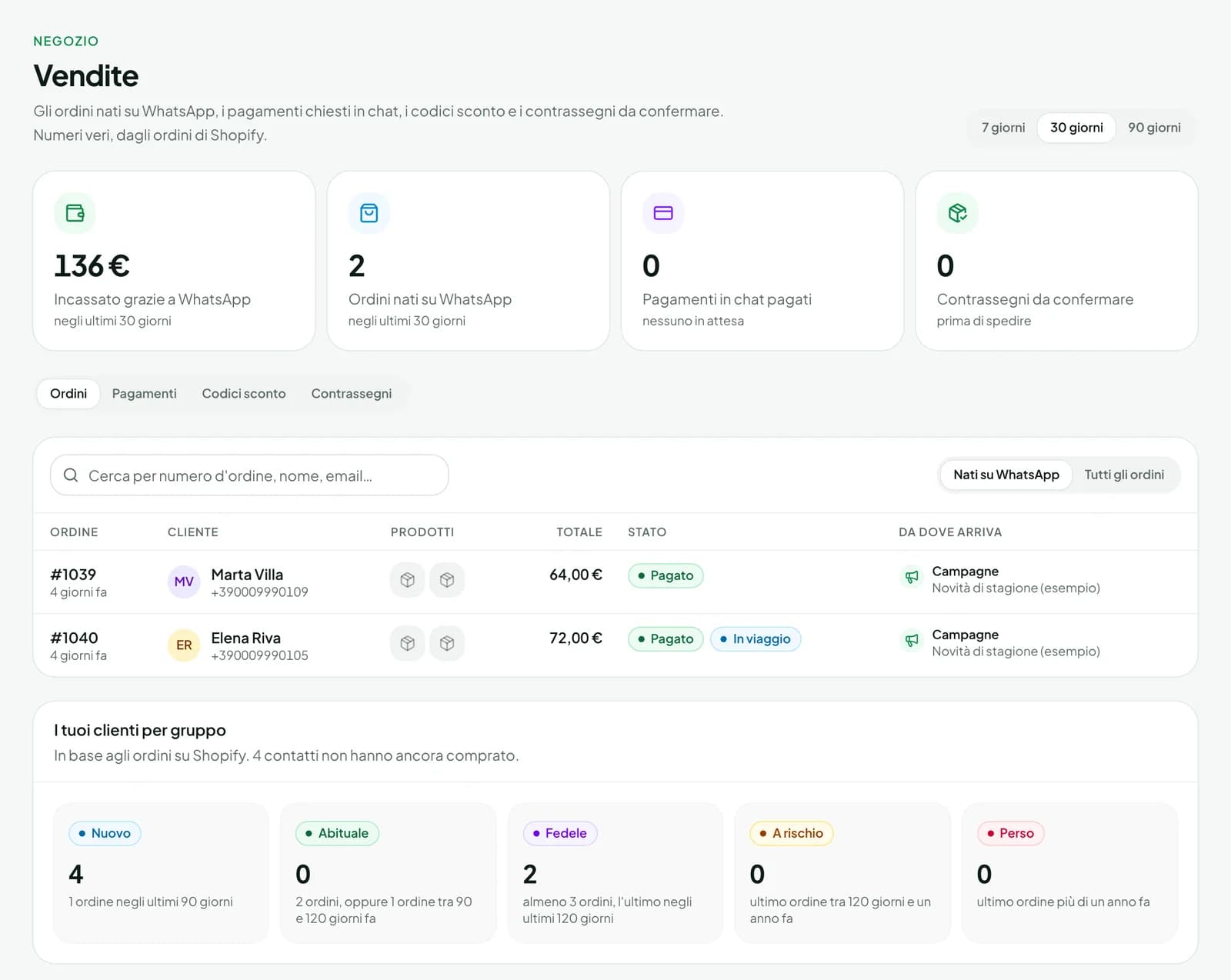
You'll find risky orders in Sales, in the cash on delivery list, with the reason. From there you open the chat or call the customer, then decide whether to ship.
The flow, step by step
The "Cash on delivery order confirmation" recipe installs switched off from the Automations page, with both templates already written. Before switching it on, you test it on your own number and see every branch in the simulation: confirmation, cancellation, silence.
- Right away: a confirmation request with order number, total and the "Confirm" and "Cancel order" buttons.
- Confirm: "confirmed" tag on the order, cash on delivery status "confirmed", a thank-you message.
- Cancel: order canceled on Shopify with the reason "Canceled by the customer on WhatsApp" and a confirmation to the customer.
- No reply in 24 hours: a reminder with the same buttons.
- Still no reply after another 24 hours: order "at risk", a tag on the contact, the list to check.
The list of risky orders
In Sales you find all cash on delivery orders split by status: to confirm, confirmed, canceled, at risk. The list refreshes itself every 15 minutes, and next to each order there's the reason, based on real data: no reply to the confirmation, has already refused or canceled a cash on delivery order, the WhatsApp message wasn't delivered, it's a high-value order, it's the customer's first order.
Every confirmation and cancellation stays in the customer's history, with who did it: the customer on WhatsApp, someone on the team or a flow.
The reminder before delivery
Confirming isn't enough if the customer doesn't have cash on delivery day. With the "Cash on delivery: reminder before delivery" recipe, when the order ships Gosendly checks whether it's to be paid on delivery and, only then, reminds the customer of the amount to have ready for the courier. Orders already paid online get nothing.
Why it's a utility message
For Meta, confirming, updating or canceling an order is a utility message: no consent to offers is needed, because it's about a purchase the customer has just made. The customer does need to have agreed to receive messages from your store, for example with a clear line on the site when ordering.
Don't put discounts or other products in the confirmation: a utility message with a promotion becomes marketing, and Meta can change its category on its own. The ready-made text is in the cash on delivery confirmation template.
If you sell on another platform
The confirmation flow also starts outside Shopify, from the start URL. The customer's reply still reaches Gosendly: the flow adds a tag, notifies the team and writes a note. What changes is the order: with Shopify it updates itself, with other platforms you update it, or the tool you connected does it by reading Gosendly's webhooks, included in all paid plans.
Sample messages
How your customer reads them on WhatsApp. Start from here and change them however you like.
Confirmation request, right after the order Hi Giulia, you chose cash on delivery for order #1043 of €49.90. Can you confirm the order?
10:24
Utility template with the "Confirm" and "Cancel order" buttons. It goes out even without marketing opt-in.
Reminder after 24 hours with no reply Hi Giulia, we're waiting for your confirmation to ship order #1043 cash on delivery. Can you confirm it?
10:24
Utility template with the same two buttons. If it goes unanswered, the order moves to the risky ones.
Reply after "Confirm" Thanks Giulia! Order confirmed: we'll let you know here when it ships.
10:24
Free text: the customer has just replied, so the 24-hour window is open and no template is needed.
Reminder when the order ships Hi Giulia, your order #1043 is on its way and will arrive in the next few days. Just a reminder to have €49.90 ready for the courier.
10:24
Utility template, only for orders to be paid on delivery.
The features you use
- FeaturesCash on delivery order confirmationA cash on delivery package refused at the door costs you two shipments and a return. With Gosendly's cash on delivery order confirmation, you ask…Read
- FeaturesOrder confirmation, shipping and delivery on WhatsApp“Where's my package?” is the question online stores get most often. With Gosendly's WhatsApp order notifications, customers receive the…Read
- FeaturesReady-made recipes for online storesYou don't have to start from a blank page. Gosendly's ready-made recipes are complete flows for the typical moments of an online store, with timings…Read
- FeaturesBlock-based WhatsApp automationGosendly's WhatsApp automations are messages that go out on their own at the right moment and stop when they're no longer needed: as soon as the…Read
- FeaturesShared WhatsApp inbox for your teamWith the Gosendly shared WhatsApp inbox, your whole team replies from the store's same number, each person with their own login, from a computer or…Read
Frequently asked questions
What happens if the customer doesn't reply?
After 24 hours they get a reminder. If they stay silent after that too, the order lands in the list of risky cash on delivery orders and you decide whether to call them, message them again from the chat or not ship. Without a reply from the customer, Gosendly never cancels the order.
What if the customer wants to change the address?
They can write it in reply to the message: the chat reaches the team like any other conversation. You correct the address on the order in Shopify yourself: Gosendly doesn't change shipping details, it can only add a tag or cancel the order after the confirmation.
How much does each confirmation cost?
It's a utility message: Meta charges the store when it's delivered, through the payment method of your WhatsApp Business account. Since October 1, 2026, utility messages are charged even when the chat is already open. Gosendly shows the estimate before sending and adds no markup.
Do I need the customer's marketing opt-in?
No. The confirmation is about an order just placed, so it's a utility message. The customer only needs to have agreed to receive messages from your store, and the text must not contain promotions.
Which plan is it on?
Order messages, including cash on delivery confirmation, are included in all paid plans. The full comparison is on the pricing page.
Keep reading
- FeaturesCash on delivery order confirmationA cash on delivery package refused at the door costs you two shipments and a return. With Gosendly's cash on delivery order confirmation, you ask…Read
- SolutionsKeep customers posted on shipping and deliveryOrder confirmation, parcel shipped with a link to track it, delivered: with WhatsApp shipping notifications the customer always knows where their…Read
- FeaturesOrder confirmation, shipping and delivery on WhatsApp“Where's my package?” is the question online stores get most often. With Gosendly's WhatsApp order notifications, customers receive the…Read
- IndustriesWhatsApp for electronics stores"Is it compatible with mine?" before, "how do I set it up?" after. With WhatsApp for your electronics store you answer technical questions from the…Read
- GuidesWhatsApp for Shopify: the complete guideWhatsApp for Shopify means updating customers on their orders, recovering carts and answering in chat without leaving your store's workflow. This…Read
Sources
- WhatsApp template categories (Meta)(opens in a new tab)Read on October 28, 2026
- WhatsApp Business Platform pricing (Meta)(opens in a new tab)Read on October 28, 2026
- Getting opt-in for WhatsApp messages (Meta)(opens in a new tab)Read on October 28, 2026
Sign-ups open soon
Leave your email and we'll tell you when we launch: then you create your account and find a sample store full of data to try right away.
- We'll write to you once
- Every feature when we open
- Sample store already full of data