Sales
Order confirmation, shipping and delivery on WhatsApp
“Where's my package?” is the question online stores get most often. With Gosendly's WhatsApp order notifications, customers receive the confirmation, the shipping update with the carrier's link and the delivery notice, without you writing a thing.
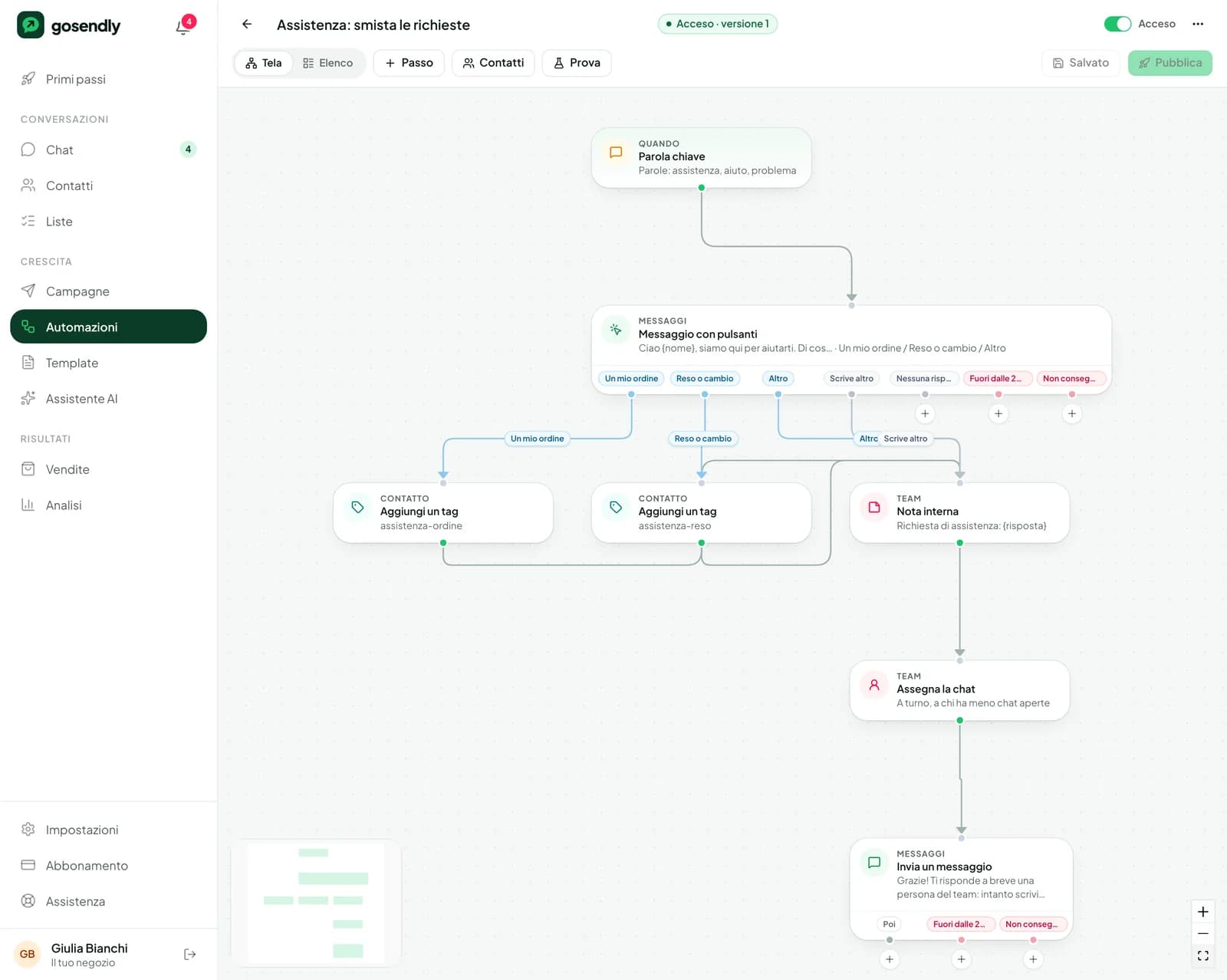
What you get
- Sent automatically from Shopify events: order, payment, shipping, delivery.
- Order number, total, carrier and tracking link already in the message.
- The customer replies in the same chat and reaches your team, or the AI assistant.
- Ready-made texts in the recipes, to adapt to your store's voice.
How it works
- 1
Connect Shopify
Go to Settings › Store and sales to connect your store: orders, payments, shipments and refunds reach Gosendly as soon as they happen.
- 2
Choose the messages
In Automations, among the ready-made recipes in the Orders category, choose order confirmation, order shipped with tracking, delivered, canceled or refunded. Each recipe has its own utility template.
- 3
Send the templates to Meta
Adapt the texts and press “Send for approval”: Meta usually decides within 24 hours. Then create the flow and turn it on.
A message for every stage of the order
Every order event can trigger its own flow:
- New order: “Hi Giulia, thanks for your order #1043 of €49.90! We're getting it ready: we'll message you here when it ships.”
- Order paid: useful for bank transfers and payments that come in later.
- Order shipped: carrier and a link to track the package.
- Order delivered: when Shopify receives the delivery status from the carrier, a message to check that everything arrived.
- Order canceled and order refunded, with the amount: the customer doesn't have to ask.
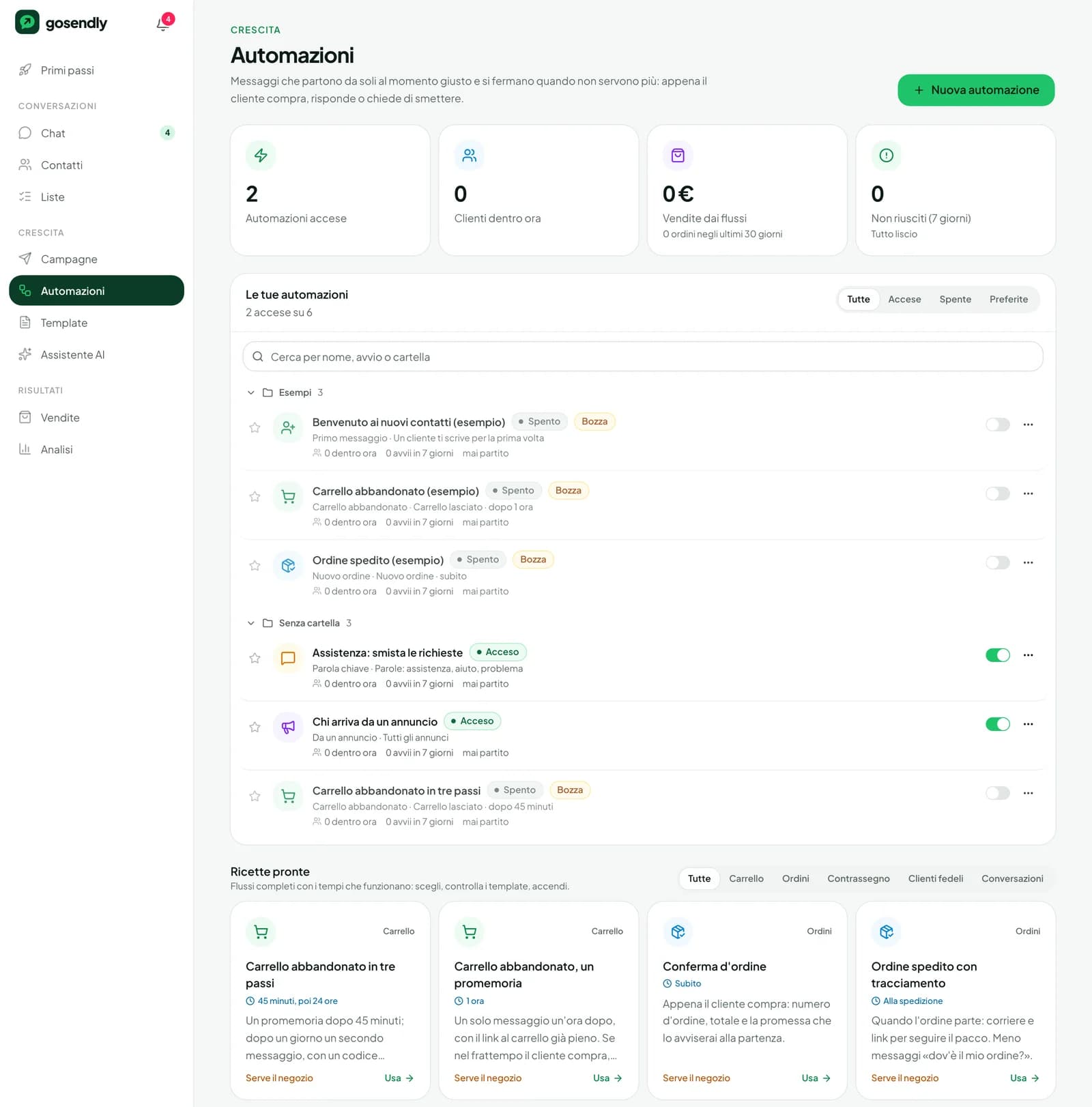
Real order data in the message
In your templates you use the order variables: number, total, status, carrier, tracking code and tracking link. The customer's name has a fallback value, so an order without a name leaves no gaps.
After shipping you can add more steps: a review request a few days after delivery, or a recommendation for matching products. For cash on delivery payments there's COD order confirmation.
What they cost
Confirmations and shipping updates are utility templates. Since October 1, 2026, Meta charges for them even when the chat is open: in Italy €0.0248 per delivered message, paid by your store directly to Meta. Gosendly shows the estimate and adds no markup.
These messages also count toward Meta's daily messaging limit. That's why, in the sending rules, part of the limit (20% by default) is reserved for order messages: a big campaign won't block your confirmations.
When the customer replies
The customer's reply lands in the shared inbox, with the order in their profile. If the AI assistant is on, it answers “when will it arrive?” itself, with the order's real status and tracking.
Frequently asked questions
Do I need opt-in to send an order confirmation?
Order confirmations and shipping notices are utility messages tied to the customer's order, not promotions: in Gosendly they go out even to people who haven't given marketing opt-in, but not to people who are blocked. The customer must still have given you their number, for example at checkout.
Can I add a promotion to the shipping message?
Better not. A utility template containing a promotion counts as marketing for Meta, which may change its category. Gosendly's template check flags it for you beforehand.
Is there an “out for delivery today” notice?
Yes: the “Parcel out for delivery today” recipe sends a utility message the day the carrier goes out for delivery, with the tracking link. It uses the shipping data sent by your store platform.
Does it work without Shopify?
Order events come in automatically only with Shopify. With another platform, an order can start a flow through the trigger URL, via Zapier, Make, n8n or the API.
Keep reading
- SolutionsKeep customers posted on shipping and deliveryOrder confirmation, parcel shipped with a link to track it, delivered: with WhatsApp shipping notifications the customer always knows where their…Read
- FeaturesReady-made recipes for online storesYou don't have to start from a blank page. Gosendly's ready-made recipes are complete flows for the typical moments of an online store, with timings…Read
- IntegrationsGosendly for ShopifyShopify is Gosendly's direct integration: once your store is connected, orders, carts, shipments, customers and products come in on their own, with…Read
More features: Sales
Carts, orders, cash on delivery and payment links.
- Abandoned cart recovery on WhatsAppA customer puts a jacket in the cart, reaches checkout and then gets distracted. With Gosendly's WhatsApp abandoned cart recovery, they get a reminder with a link to their cart, still…Included in all paid plans
- Cash on delivery order confirmationA cash on delivery package refused at the door costs you two shipments and a return. With Gosendly's cash on delivery order confirmation, you ask the customer on WhatsApp to confirm before…Included in all paid plans
- Payment links in chatYour customer made up her mind in chat: she wants the bag in black, with her initials. With Gosendly's payment links in chat, you prepare the order in a few taps and send her a secure…Included in all paid plans
- Unique discount codes per customerA code that's the same for everyone ends up on coupon sites within a day. With Gosendly's unique discount codes, each customer gets their own, created on Shopify on the spot, with the…Included in all paid plans
Sources
- Meta: WhatsApp Business Platform pricing(opens in a new tab)Read on October 28, 2026
- Meta: pricing by country (Italy, in euros)(opens in a new tab)Read on October 28, 2026
- Meta: template categorization(opens in a new tab)Read on October 28, 2026
Sign-ups open soon
Leave your email and we'll tell you when we launch: then you create your account and find a sample store full of data to try right away.
- We'll write to you once
- Every feature when we open
- Sample store already full of data