Sales
Abandoned cart recovery on WhatsApp
A customer puts a jacket in the cart, reaches checkout and then gets distracted. With Gosendly's WhatsApp abandoned cart recovery, they get a reminder with a link to their cart, still full, and the messages stop on their own as soon as they buy.
What you get
- The link takes the customer back to their cart, already filled.
- Multi-step reminders, on the timing you decide and never at night.
- Discounts only for carts above a set amount: you don't give away margin on every order.
- As soon as the customer buys, the flow stops: no “forgot your cart?” after the order.
How it works
- 1
Connect Shopify
Go to Settings › Store and sales to connect your store: carts that were started but not completed reach Gosendly automatically, with products, photos, total and a link to pick them up again.
- 2
Pick a recipe
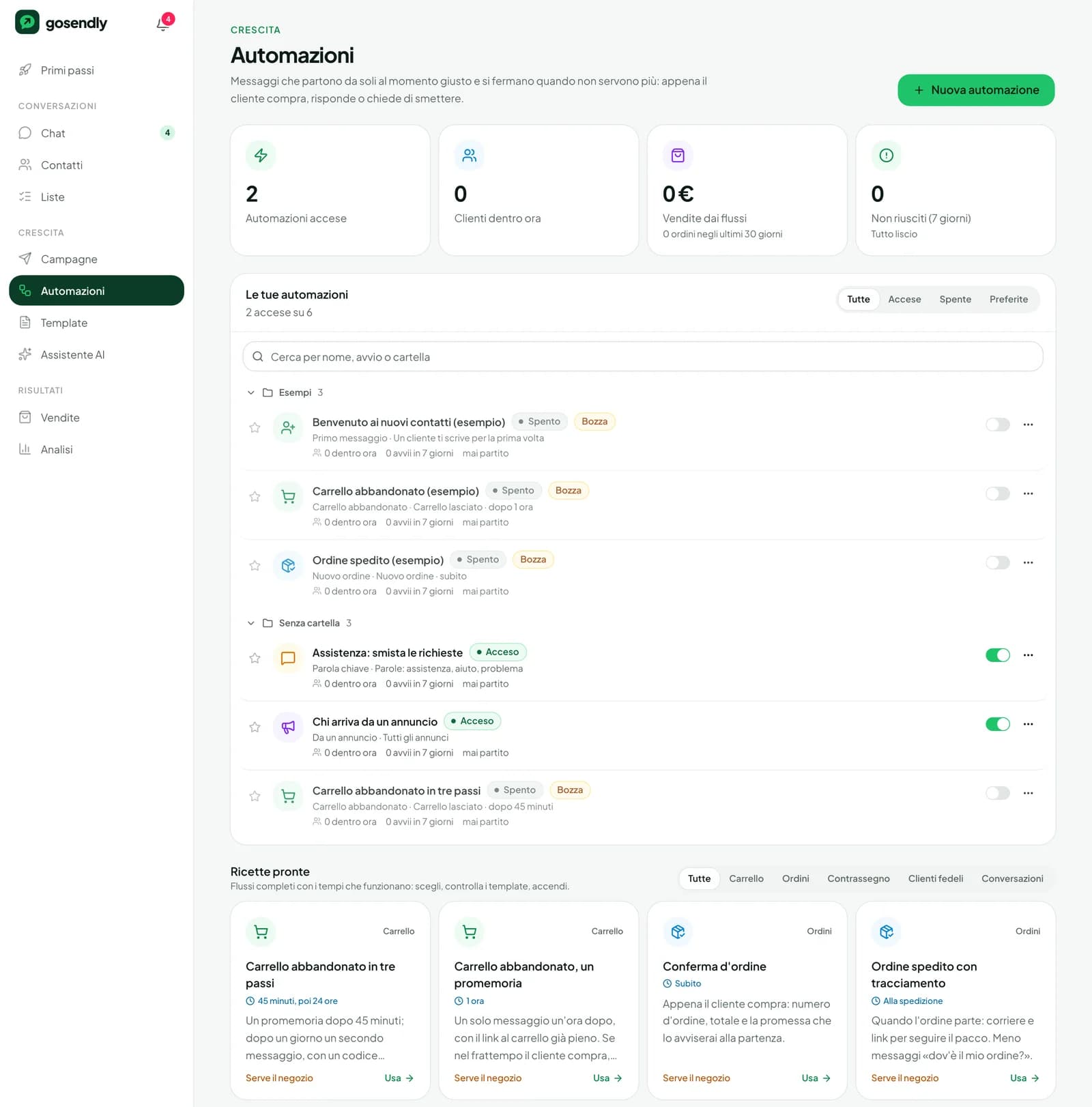
In Automations, among the ready-made recipes, choose “Abandoned cart in three steps” or “Abandoned cart, one reminder”. With “Send for approval”, the templates go to Meta.
- 3
Set timing and discount
In the builder, decide how long to wait before the first message, the minimum amount (“Only carts of at least”) and when to offer the discount code.
- 4
Test and switch it on
Test the flow on your own phone number with shortened waits, then press “Publish and turn on”.
The three-step recipe
“Abandoned cart in three steps” sends a first reminder 45 minutes after the cart is abandoned, with the cart link. The next day, never at night, it checks the total: above €50 it creates a unique 10% discount code, valid for two days, and sends it with the link; below that, it sends a last reminder with no discount.
You can change the timing, amount and percentage however you like. The code is created on Shopify for that customer and works only once: see everything on the unique discount codes page.
It stops when it should
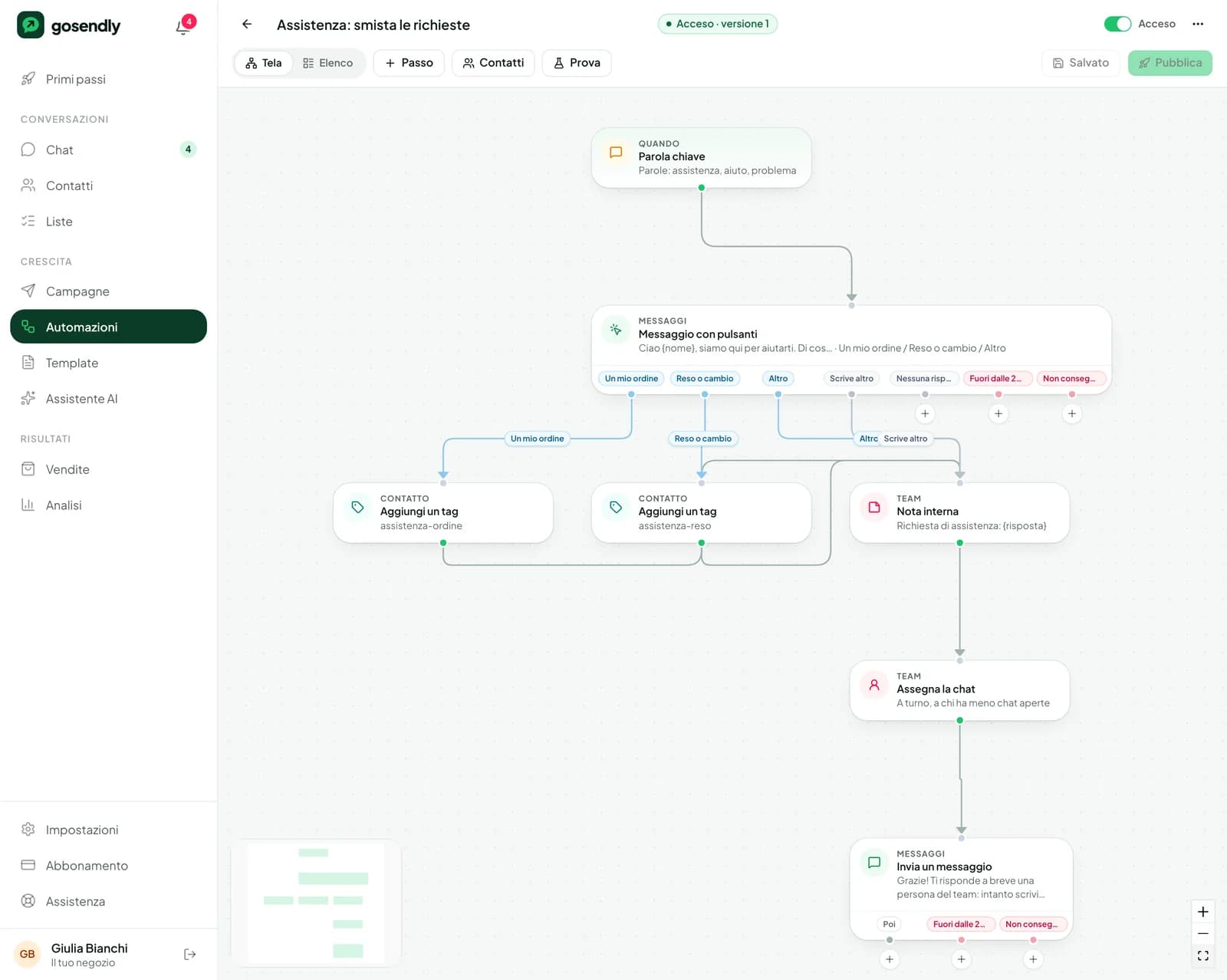
If the customer completes the order, the remaining messages are not sent. If they come back and leave a new cart, the flow starts over with that one: the same cart never gets the same messages twice.
The reminder goes only to people who gave marketing opt-in, and it follows the sending rules: quiet hours and a cap on messages per customer.
Why WhatsApp
Shopify has its own recovery emails, which only go to customers subscribed to marketing. If a customer leaves a phone number at checkout instead of an email, the email can't be sent: the WhatsApp message can, if they gave opt-in.
Cart reminders are marketing templates: in Italy, Meta charges €0.0658 per delivered message, billed directly to your store, and Gosendly shows you the estimate without adding anything. With attributed sales, you see how many carts actually come back.
Frequently asked questions
Does the customer need to leave a phone number?
Yes: the reminder only reaches people who left a number at checkout and gave marketing opt-in. Without a phone number, the cart doesn't become a contact and nothing is sent.
How long before the first message goes out?
You decide in the flow's trigger. The ready-made recipes use 45 minutes or one hour; the second step of the three-step recipe arrives the next day, never at night.
Does it also work with WooCommerce or PrestaShop?
Yes. Abandoned carts come in automatically with Shopify, BigCommerce, Wix, Ecwid and Odoo; with WooCommerce, PrestaShop and Magento they come in once you install their free module, which you download from the integrations pages. Shopware currently sends orders but not carts. With a custom-built site, you can start a flow from the trigger URL, via Zapier, Make or n8n, if the site sends the cart event.
Which plan includes it?
All paid plans, from €59 per month excluding VAT, together with the Shopify connection and order messages. During the 14-day free trial you can try it with every feature.
Keep reading
- SolutionsRecover abandoned carts with WhatsAppA reminder 45 minutes later, a second message the next day and a discount only when it makes sense: abandoned cart recovery on WhatsApp with…Read
- GuidesAbandoned cart: WhatsApp or email?To recover an abandoned cart you can contact the customer by email or on WhatsApp. There's no winner that fits everyone: costs, permissions and what…Read
- FeaturesReady-made recipes for online storesYou don't have to start from a blank page. Gosendly's ready-made recipes are complete flows for the typical moments of an online store, with timings…Read
- IntegrationsGosendly for ShopifyShopify is Gosendly's direct integration: once your store is connected, orders, carts, shipments, customers and products come in on their own, with…Read
More features: Sales
Carts, orders, cash on delivery and payment links.
- Order confirmation, shipping and delivery on WhatsApp“Where's my package?” is the question online stores get most often. With Gosendly's WhatsApp order notifications, customers receive the confirmation, the shipping update with the carrier's…Included in all paid plans
- Cash on delivery order confirmationA cash on delivery package refused at the door costs you two shipments and a return. With Gosendly's cash on delivery order confirmation, you ask the customer on WhatsApp to confirm before…Included in all paid plans
- Payment links in chatYour customer made up her mind in chat: she wants the bag in black, with her initials. With Gosendly's payment links in chat, you prepare the order in a few taps and send her a secure…Included in all paid plans
- Unique discount codes per customerA code that's the same for everyone ends up on coupon sites within a day. With Gosendly's unique discount codes, each customer gets their own, created on Shopify on the spot, with the…Included in all paid plans
Sources
- Shopify: abandoned checkouts(opens in a new tab)Read on October 28, 2026
- Shopify: new abandoned checkout automation(opens in a new tab)Read on October 28, 2026
- Meta: WhatsApp Business Platform pricing(opens in a new tab)Read on October 28, 2026
- Meta: pricing by country (Italy, in euros)(opens in a new tab)Read on October 28, 2026
Sign-ups open soon
Leave your email and we'll tell you when we launch: then you create your account and find a sample store full of data to try right away.
- We'll write to you once
- Every feature when we open
- Sample store already full of data