Solutions
Keep customers posted on shipping and delivery
Order confirmation, parcel shipped with a link to track it, delivered: with WhatsApp shipping notifications the customer always knows where their order is, and if something goes wrong they reply in the same chat.
Your store
online
Today
The problem
After buying, the customer wants to know one thing only: when it arrives. If the tracking email lands in spam, the question comes to you, on WhatsApp, on the phone, in the comments. Every "where is my order?" takes a few minutes, and around Black Friday and Christmas they add up to dozens. Meanwhile anyone who doesn't know the parcel is coming isn't home when the courier rings.
How Gosendly solves it
- 1
Switch on order messages
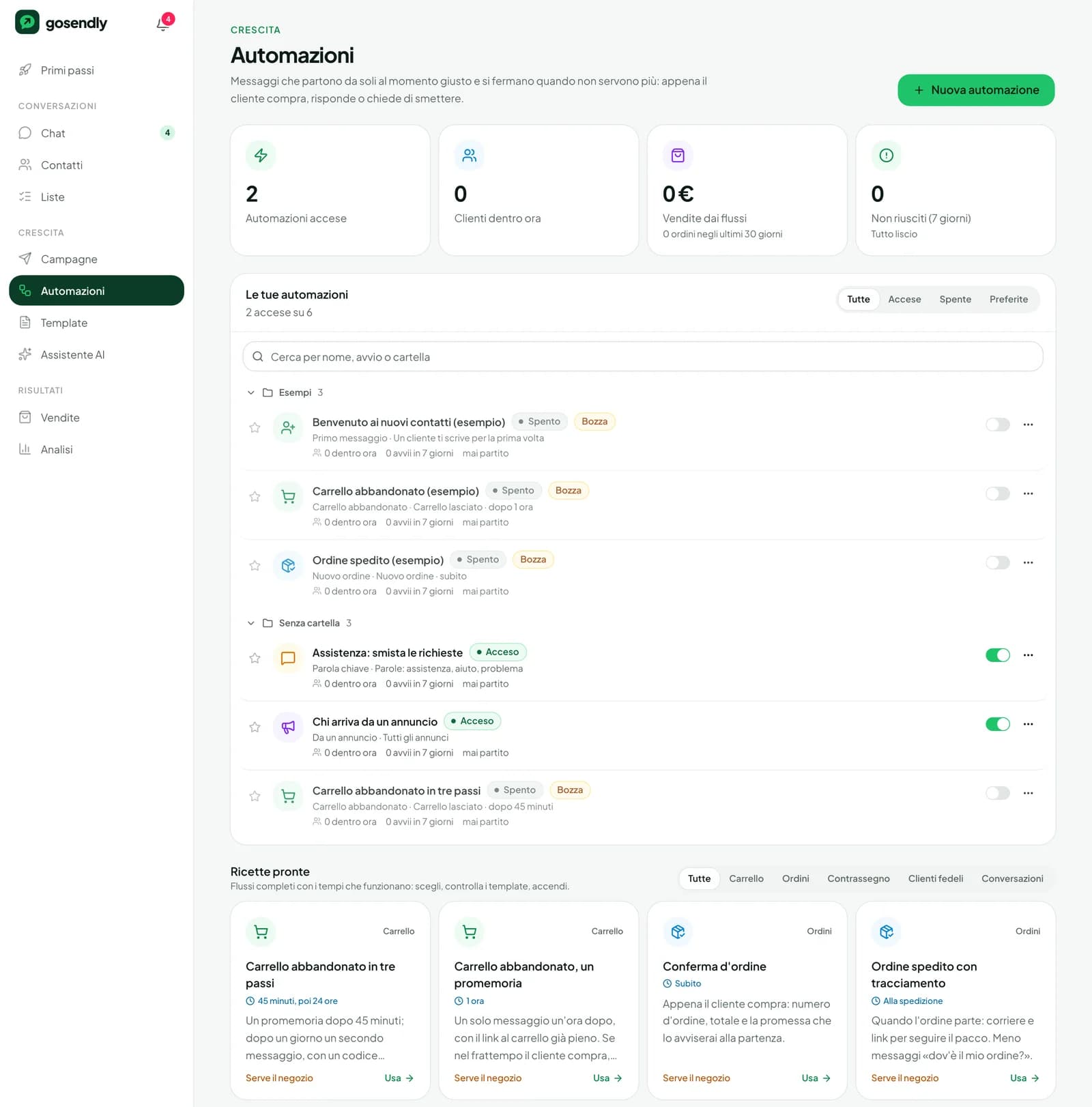
Among the ready-made recipes you'll find order confirmation, order shipped, delivered, canceled and refunded. Each one installs switched off, with the utility template already written and ready to submit for approval.
- 2
Shopify triggers the messages
With Shopify connected, every order and every shipment reaches Gosendly on its own: when you fulfill the order and add tracking, the customer gets the courier and the link without you lifting a finger.
- 3
Replies go to the team
If the customer replies to a notification, the conversation lands in the shared inbox, with the order details alongside. Whoever is on shift sees it and replies.
Order messages and when they go out
Each message is triggered by an order event, and only once per event. If the same customer places two orders, they get the notifications for both without confusion, because each message carries its own order number.
- Order confirmation, right away: number, total and the promise to let them know when it ships.
- Order shipped, when you fulfill it: courier name and tracking link.
- Order delivered, when tracking marks it delivered: a check that everything arrived, with an invitation to reply if something's wrong.
- Order canceled: a clear notice, with an invitation to write if it's a mistake.
- Order refunded: confirmation of the refund, so the customer doesn't have to ask.
What's included and what isn't
Gosendly uses Shopify's order events: created, paid, fulfilled, delivered, canceled, refunded. It has no direct connections with couriers, but the "Parcel out for delivery today" recipe sends the notice on the day of delivery, using the shipping data sent by your store platform. The courier's other in-between statuses, such as "delivery attempted" or "ready for pickup", go into the customer's history, so whoever replies in the chat can see them, but they don't trigger messages.
The tracking link is the one you save on Shopify when you fulfill the order: it works with any courier, as long as there's tracking.
Parcel questions, even without you
With Shopify connected, the AI assistant reads the status and tracking of the order of the customer who's writing and answers the most common question on its own. If the shipment has been stuck for too many days, it doesn't improvise: it hands the chat to someone on the team, with a summary of the conversation.
Utility messages: what you can put in them
For Meta, order notifications are utility messages: they're about a customer's purchase, so you don't need their yes to offers. The condition is that they stay informational. A single code for the next purchase in the shipping notice is enough to turn it into marketing, and Meta recategorizes templates that break the rule on its own. If you want to offer something, do it in a separate message, only to people who opted in.
The texts to start from are in the order confirmation and order shipped templates.
If your store isn't on Shopify
The same messages also go out from WooCommerce, PrestaShop, Magento and the other platforms connected directly (you'll find them in the integrations map). For management software without a direct connection, you go through Zapier, Make, n8n or the API: every flow has a start URL that receives the customer's number and whatever data you pass, such as order number, courier and tracking link. Those values become message variables, exactly like Shopify's.
Sample messages
How your customer reads them on WhatsApp. Start from here and change them however you like.
Order confirmation Hi Giulia, thanks for your order #1043 of €49.90! We're getting it ready: we'll message you here when it ships.
10:24
Utility template, right after the purchase.
Order shipped Hi Giulia, your order #1043 has shipped with BRT. You can track it here: yourstore.com/tracking/GL4471
10:24
Utility template. Courier and link come from the shipment recorded in the store.
Order delivered Hi Giulia, your order #1043 shows as delivered. If anything's wrong, just reply to this message: we'll help you right away.
10:24
Utility template. The customer's reply opens the chat with the team.
Refund issued Hi Giulia, we've refunded order #1043. The amount will be back on your payment method within a few business days.
10:24
Utility template, when you record the refund.
The features you use
- FeaturesOrder confirmation, shipping and delivery on WhatsApp“Where's my package?” is the question online stores get most often. With Gosendly's WhatsApp order notifications, customers receive the…Read
- FeaturesReady-made recipes for online storesYou don't have to start from a blank page. Gosendly's ready-made recipes are complete flows for the typical moments of an online store, with timings…Read
- FeaturesShared WhatsApp inbox for your teamWith the Gosendly shared WhatsApp inbox, your whole team replies from the store's same number, each person with their own login, from a computer or…Read
- FeaturesAI assistant that answers from your sourcesThe Gosendly AI assistant answers customers on WhatsApp using your store's information: shipping, returns, sizes, order status. If it doesn't know…Read
- FeaturesWhatsApp templates: create them and get them approvedTo message a customer first, or more than 24 hours after their last message, WhatsApp requires a template approved by Meta. With the Gosendly…Read
Frequently asked questions
Do I need marketing opt-in for shipping notifications?
No, order notifications aren't promotions. WhatsApp still requires consent to be contacted: when ordering, the customer just needs to read clearly that your store, by name, will message them about their orders.
Can I add a discount code to the shipping message?
Better not: an order notification with a promotion becomes marketing, costs as much as marketing and only goes to people who opted in. Keep the two messages separate.
Does it work with my courier?
Yes, if the courier's tracking is saved on the order. Gosendly doesn't connect to couriers: it uses the courier name and the link it finds in the shipment.
How much do these messages cost?
Each delivered notification is a utility message, which Meta charges directly to the store. Since October 1, 2026, it's charged even when the customer wrote to you recently and the chat is open. Gosendly shows the estimate before sending, with no markup; rates are in the WhatsApp pricing guide.
Which plan are they on?
Order messages are included in all paid plans, along with the Shopify connection. The plan comparison is on the pricing page.
Keep reading
- FeaturesOrder confirmation, shipping and delivery on WhatsApp“Where's my package?” is the question online stores get most often. With Gosendly's WhatsApp order notifications, customers receive the…Read
- SolutionsConfirm cash on delivery orders on WhatsAppOne message right after the order, two buttons, "Confirm" and "Cancel order", and an order that updates itself. Cash on delivery order confirmation…Read
- SolutionsCollect reviews after purchase with WhatsAppThree days after delivery, one simple question, three buttons to answer and the link to leave a review. Asking for reviews on WhatsApp with Gosendly…Read
- IntegrationsGosendly for ShopifyShopify is Gosendly's direct integration: once your store is connected, orders, carts, shipments, customers and products come in on their own, with…Read
Sources
- WhatsApp template categories (Meta)(opens in a new tab)Read on October 28, 2026
- WhatsApp Business Platform pricing (Meta)(opens in a new tab)Read on October 28, 2026
- Getting opt-in for WhatsApp messages (Meta)(opens in a new tab)Read on October 28, 2026
Sign-ups open soon
Leave your email and we'll tell you when we launch: then you create your account and find a sample store full of data to try right away.
- We'll write to you once
- Every feature when we open
- Sample store already full of data