Solutions
Collect reviews after purchase with WhatsApp
Three days after delivery, one simple question, three buttons to answer and the link to leave a review. Asking for reviews on WhatsApp with Gosendly brings you the opinions of happy customers and, even before that, the problems of the ones who aren't.
Example
Hi Giulia, how did it go with your order #1043? We'd love to know what you think.
10:24
The question, three days after delivery
The problem
Happy customers rarely think of leaving a review, disappointed ones do it on their own, and usually in public. The email asking for feedback arrives alongside ten newsletters and gets lost. So your store's reviews mostly talk about problems, and you find out about those problems when they're already online.
How Gosendly solves it
- 1
Install the recipe
In Automations, pick "Review request". It installs switched off, with the template and replies already written: you just add the link to your review page.
- 2
The message goes out after delivery
Three days after the order shows as delivered, at 10 a.m. and never at night, the customer gets the question with three buttons: "Great", "Good", "Not good".
- 3
Everyone gets the link
Anyone who answers "Great" or "Good" gets a thank-you and the review link. Anyone who answers "Not good" gets an apology and the same link.
- 4
Low ratings reach the team
On top of that, unhappy customers get the "low-rating" tag, their chat is assigned to whoever is on shift, and the team gets an alert with the order number.
Why invite everyone, with no filters and no rewards
The recipe sends the review link to everyone, whatever their answer, and offers no discounts in return. It's a deliberate choice: asking only happy customers for feedback, or paying for it, makes reviews less credible for the people reading them. Review platforms also have their own rules on how to ask: before changing the flow, read the rules of the platform you use.
What the rating changes is the follow-up, not the invitation: happy customers just get a thank-you, unhappy ones also get a person who reaches out to them.
A low rating becomes a solved problem
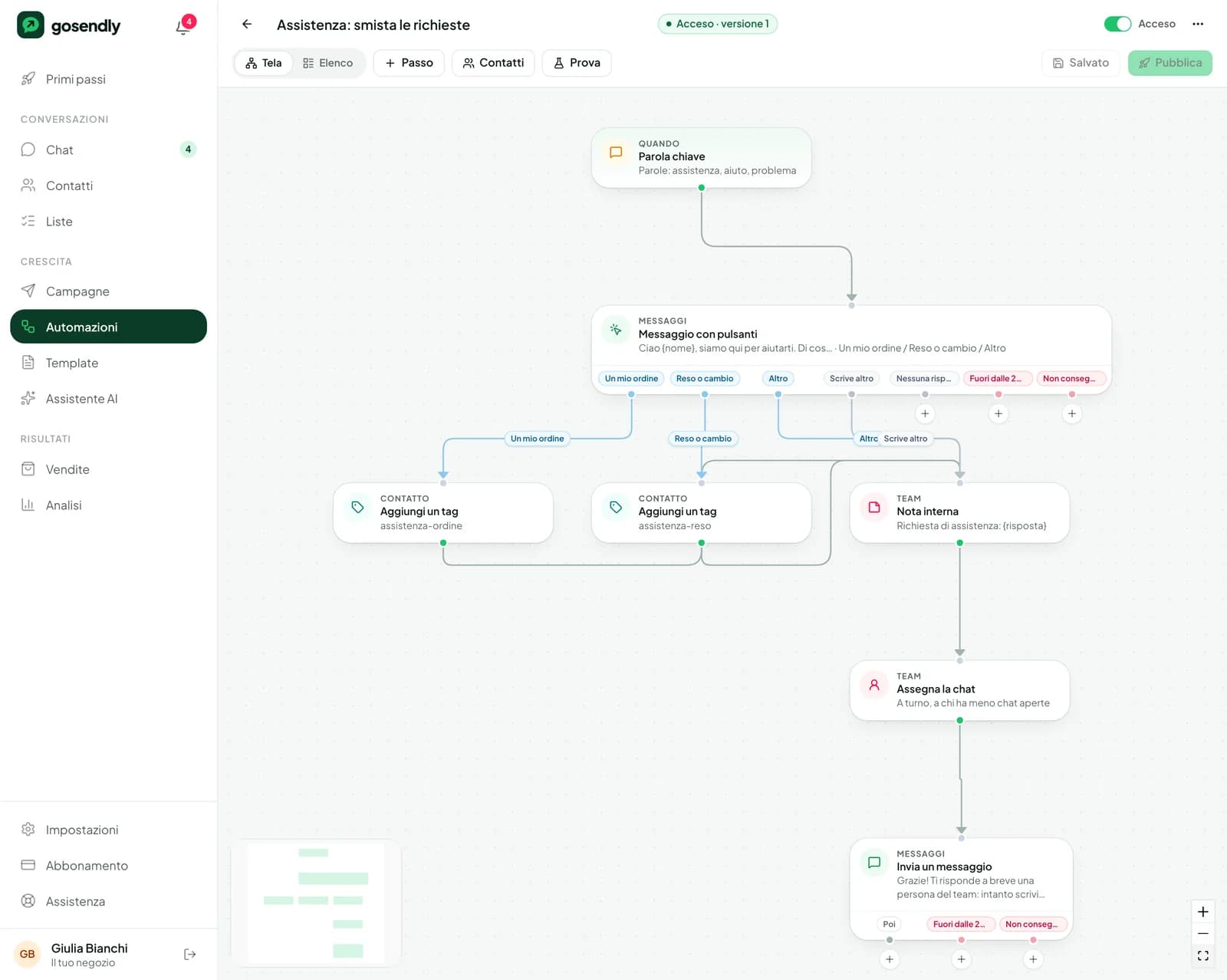
A customer who answers "Not good" is telling you something went wrong, before writing it somewhere else. The flow treats it as a request for help: "low-rating" tag, chat assigned to the person on shift, an alert in the bell with the order number. Whoever opens the chat finds everything there, order included, and can ask what happened.
With the tag you find all of the month's low ratings in a moment and see whether the problem is a product, a courier or the packaging.
The message category
For Meta, a survey is a utility message only if it's about a specific order; a generic request for feedback isn't. Gosendly sets up the review request as a marketing template: it only goes to people who opted in to offers, respects quiet hours and the sending cap, and isn't at risk of being recategorized by Meta after approval.
The starting text is in the review request template.
The right moment
Three days after delivery is a starting point: the customer has opened the parcel and had time to try it. For a product you judge over time, like a cream or a mattress, lengthen the wait in the builder; for a bouquet or a cake, shorten it. If the customer doesn't reply within three days, the flow ends with no further messages.
From your physical store too, and without Shopify
If you also have a shop, the "In-store review" recipe works with a QR code on the counter: the customer scans it, writes "review" and gets the link right away. You get the QR code from the website WhatsApp button page.
The online recipe starts from Shopify's "Order delivered" event. If you sell on another platform, you trigger it with Zapier, Make, n8n or the API, passing the customer's number and the order number.
Sample messages
How your customer reads them on WhatsApp. Start from here and change them however you like.
The question, three days after delivery Hi Giulia, how did it go with your order #1043? We'd love to know what you think.
10:24
Marketing template with the "Great", "Good", "Not good" buttons. Goes out at 10 a.m., only to people who opted in.
After "Great" or "Good" Thanks Giulia! If you feel like telling others too, you can leave a review here: [review link]
10:24
Free text, because the customer's reply has just opened the 24-hour window.
After "Not good" We're sorry, Giulia, and thanks for letting us know. Someone from our team will message you shortly to sort it out. If you like, you can still leave a review here: [review link]
10:24
Free text. At the same time the flow adds the "low-rating" tag, assigns the chat and alerts the team.
The features you use
- FeaturesReady-made recipes for online storesYou don't have to start from a blank page. Gosendly's ready-made recipes are complete flows for the typical moments of an online store, with timings…Read
- FeaturesBlock-based WhatsApp automationGosendly's WhatsApp automations are messages that go out on their own at the right moment and stop when they're no longer needed: as soon as the…Read
- FeaturesOrder confirmation, shipping and delivery on WhatsApp“Where's my package?” is the question online stores get most often. With Gosendly's WhatsApp order notifications, customers receive the…Read
- FeaturesAutomatic chat assignmentWhen several people reply from the same number, you need to know who is handling which customer. With automatic chat assignment, Gosendly hands each…Read
- FeaturesWhatsApp button for your website and QR codesA shopper looking at a product with a question about sizing shouldn't have to hunt for your number. With the Gosendly WhatsApp website button they…Read
Frequently asked questions
Can I offer a discount in exchange for a review?
The recipe includes no rewards: a review obtained in exchange for a discount is worth less to the people reading it. If you use a review platform, check what its rules say about incentives before adding one.
When does the message go out?
Three days after the order shows as delivered, at 10 a.m. If the wait ends at night, the message waits for the morning. Days and time can be changed in the builder.
What happens if the customer doesn't reply?
The flow waits three days for a reply, then ends. No follow-up: a second message asking for a review is more annoying than useful.
Where do I put the link to my review page?
In the text of the two reply messages, in place of [review link]. It can be your store's page on a review platform or the one on your own site.
Do I need Shopify?
With Shopify the flow starts on its own at delivery. With other platforms you start it from the start URL, with Zapier, Make, n8n or the API. The QR code recipe works with no connection at all.
Keep reading
- FeaturesReady-made recipes for online storesYou don't have to start from a blank page. Gosendly's ready-made recipes are complete flows for the typical moments of an online store, with timings…Read
- SolutionsKeep customers posted on shipping and deliveryOrder confirmation, parcel shipped with a link to track it, delivered: with WhatsApp shipping notifications the customer always knows where their…Read
- SolutionsWin back customers who stopped buyingA customer who has already bought knows you, trusts you and knows how your store works. To win back inactive customers, Gosendly finds them in your…Read
- IndustriesWhatsApp for cosmetics and beauty storesA cream runs out, a foundation has to match the skin, a routine needs explaining. With WhatsApp for cosmetics you send the reorder reminder at the…Read
- FeaturesAutomatic chat assignmentWhen several people reply from the same number, you need to know who is handling which customer. With automatic chat assignment, Gosendly hands each…Read
Sources
- WhatsApp template categories (Meta)(opens in a new tab)Read on October 28, 2026
Sign-ups open soon
Leave your email and we'll tell you when we launch: then you create your account and find a sample store full of data to try right away.
- We'll write to you once
- Every feature when we open
- Sample store already full of data