Sales
Unique discount codes per customer
A code that's the same for everyone ends up on coupon sites within a day. With Gosendly's unique discount codes, each customer gets their own, created on Shopify on the spot, with the expiry you choose: it works only once and you know whether they used it and on which order.
What you get
- One code per customer, valid only once: it doesn't turn into a discount for everyone.
- A short expiry if you want: it helps people decide without discounting forever.
- In the customer profile you see whether and when they used it.
- Orders with Gosendly codes always count as sales that started on WhatsApp.
How it works
- 1
From the chat
In the chat, tap “Attach or send more” and then “Discount code”: choose the type (% off, € off or shipping), the value, the minimum order and the code prefix, then press “Create code”.
- 2
From flows
In the builder, add the “Create a discount code” step and use the code in the next message with {codice_sconto} and the expiry with {sconto_scadenza}.
- 3
Check in Sales
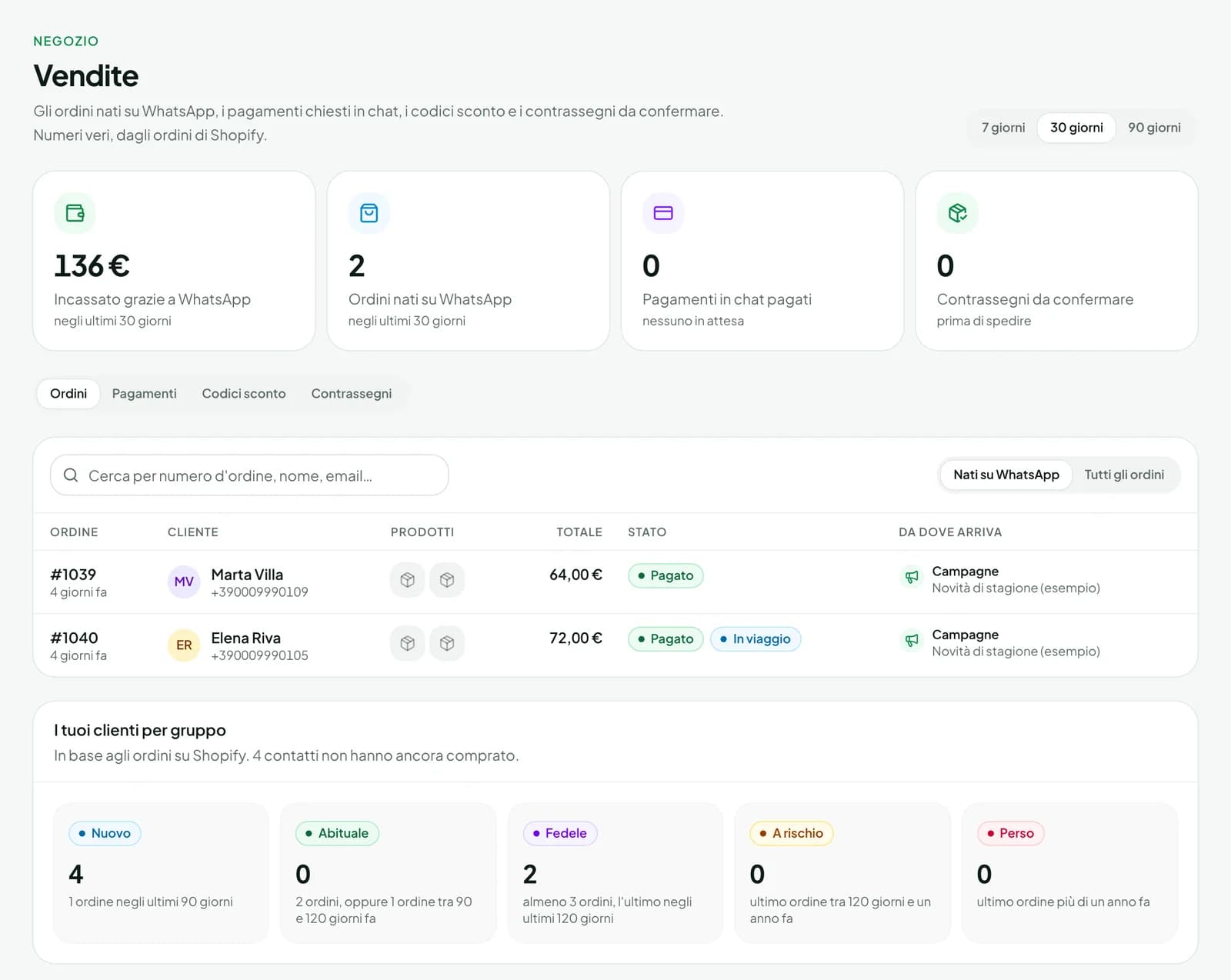
In Sales, on the Discount codes tab, you see all the codes created by Gosendly: active, used and expired.
How a code is created
The code is created on Shopify the moment it's needed, tied to the contact: for example THANKS-7KQ2X9, where “THANKS” is the prefix you choose and the rest is unique. It can be a percentage discount, a fixed euro amount or free shipping, with a minimum order and a validity of 1 to 30 days from the chat; in flows you set the expiry in days, or leave it empty.
Shopify checks it at checkout like any other code in your store.
Where they're used
In abandoned cart flows, only for carts above a set amount. In the recipe for the offer after the first order, in birthday greetings and in win-back for customers who haven't bought in 90 days. In a campaign, by starting a flow for each recipient that creates their own code.
With the AI assistant on and the tool enabled, the assistant can also create a personal code, within the maximum discount you set; by default it waits for a person to confirm.
Know whether it worked
Every code stays linked to the customer: in their profile you see whether and when they used it. In flows, the “Did they buy?” step can check specifically whether the code created in the flow was used, to send a reminder only to those who haven't spent it yet.
Orders with a code created by Gosendly always count as sales that started on WhatsApp in your analytics.
Frequently asked questions
Do I need Shopify?
Yes: unique codes are created on Shopify, so you need your store connected and a paid plan. Without Shopify you can still write a code you created yourself on your platform in a message, but it won't be unique or tracked by Gosendly.
Can the customer pass the code on to a friend?
The code works only once: if someone else uses it, the customer can no longer use it. That way a discount meant for one person doesn't become a discount for everyone.
Can I offer free shipping instead of a discount?
Yes, in the chat and in flows there's the “Shipping” type: the code removes the shipping cost, with a minimum order if you set one.
How many codes can I create?
Gosendly sets no limit: each code is created when needed, for one customer. Your store's Shopify rules apply.
Keep reading
- FeaturesAbandoned cart recovery on WhatsAppA customer puts a jacket in the cart, reaches checkout and then gets distracted. With Gosendly's WhatsApp abandoned cart recovery, they get a…Read
- FeaturesPayment links in chatYour customer made up her mind in chat: she wants the bag in black, with her initials. With Gosendly's payment links in chat, you prepare the order…Read
- SolutionsWin back customers who stopped buyingA customer who has already bought knows you, trusts you and knows how your store works. To win back inactive customers, Gosendly finds them in your…Read
- SolutionsPromotions and launches on WhatsApp, without burning your numberA launch, Black Friday, a sale, a product back in stock. With Gosendly's WhatsApp promotions you only message people who asked for them, at the…Read
- IntegrationsGosendly for ShopifyShopify is Gosendly's direct integration: once your store is connected, orders, carts, shipments, customers and products come in on their own, with…Read
More features: Sales
Carts, orders, cash on delivery and payment links.
- Abandoned cart recovery on WhatsAppA customer puts a jacket in the cart, reaches checkout and then gets distracted. With Gosendly's WhatsApp abandoned cart recovery, they get a reminder with a link to their cart, still…Included in all paid plans
- Order confirmation, shipping and delivery on WhatsApp“Where's my package?” is the question online stores get most often. With Gosendly's WhatsApp order notifications, customers receive the confirmation, the shipping update with the carrier's…Included in all paid plans
- Cash on delivery order confirmationA cash on delivery package refused at the door costs you two shipments and a return. With Gosendly's cash on delivery order confirmation, you ask the customer on WhatsApp to confirm before…Included in all paid plans
- Payment links in chatYour customer made up her mind in chat: she wants the bag in black, with her initials. With Gosendly's payment links in chat, you prepare the order in a few taps and send her a secure…Included in all paid plans
Sign-ups open soon
Leave your email and we'll tell you when we launch: then you create your account and find a sample store full of data to try right away.
- We'll write to you once
- Every feature when we open
- Sample store already full of data