Sales
Cash on delivery order confirmation
A cash on delivery package refused at the door costs you two shipments and a return. With Gosendly's cash on delivery order confirmation, you ask the customer on WhatsApp to confirm before you ship: with one tap, the order updates itself on Shopify.
What you get
- The customer confirms or cancels with a button, no phone calls.
- “Confirm” tags the order on Shopify; “Cancel” cancels it and puts the items back in stock.
- Customers who don't reply end up among the at-risk orders, with the reason.
- A reminder of the amount to have ready when the package ships.
How it works
- 1
Let Gosendly recognize COD orders
In Settings › Store and sales, turn on “Recognize cash on delivery orders”. If your cash on delivery payment method has a different name, add it under “Other names for cash on delivery”.
- 2
Choose tags and timing
Decide the tag for confirmed orders and for canceled ones, after how many hours without a reply an order becomes at risk, and above which amount to always check it.
- 3
Turn on the recipe
In Automations, choose “Cash on delivery order confirmation”: send the templates to Meta with “Send for approval”, create the flow and turn it on.
- 4
Check the list
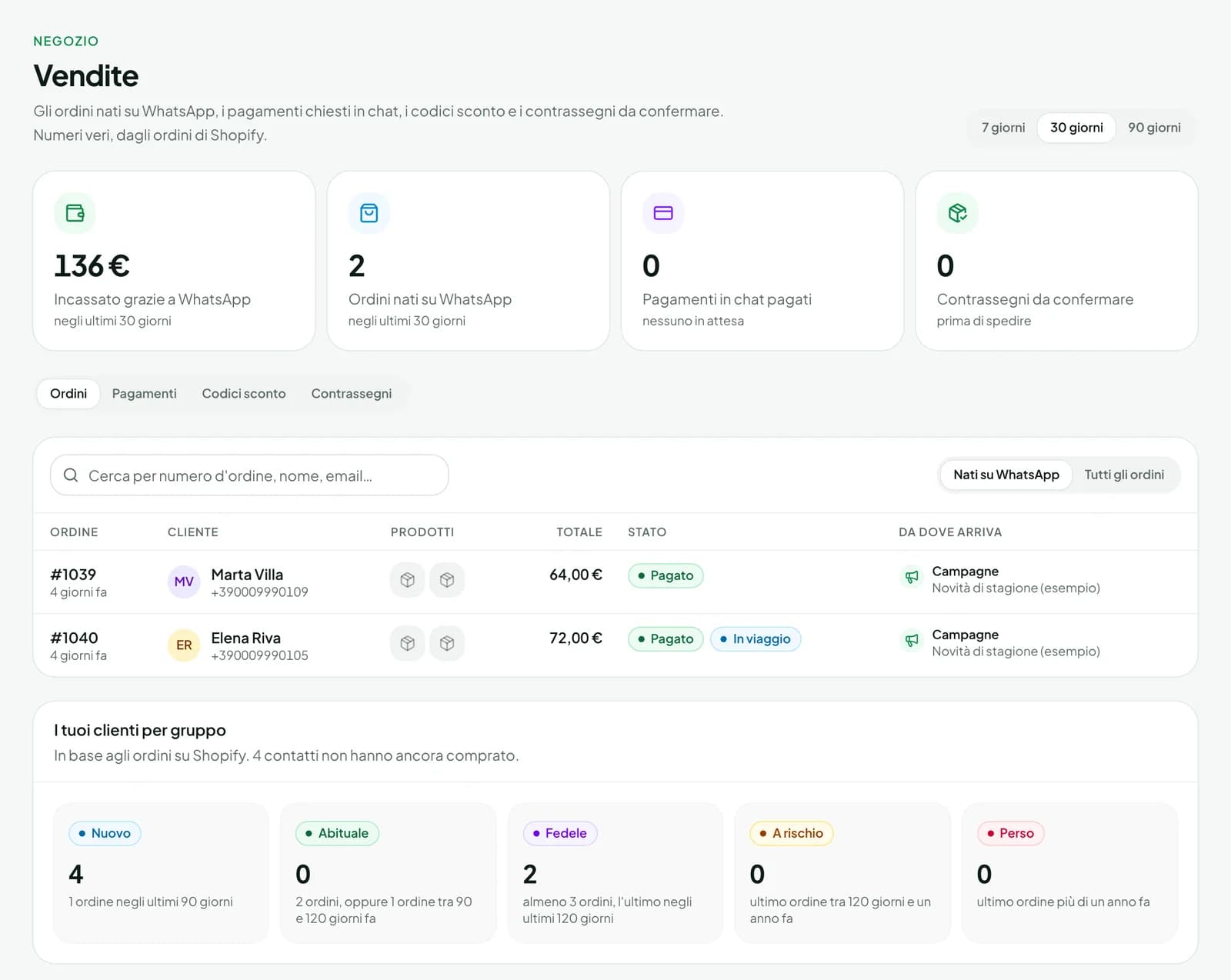
In Sales, on the Cash on delivery tab, you see orders to confirm, at risk, confirmed and canceled, and you act with “Confirm”, “Cancel” or “Chat”.
The message your customer receives
Right after ordering, the customer receives: “Hi Giulia, you chose cash on delivery for order #1043 of €49.90. Can you confirm your order?”, with the buttons “Confirm” and “Cancel order”.
With “Confirm”, the order gets the tag you chose on Shopify, for example “confirmed”, and you can ship with peace of mind. With “Cancel order”, the order is canceled on Shopify too and the items go back in stock. If there's no reply, a reminder goes out; if the silence continues, the order goes into the ones to review.
At-risk orders, with the reason
The “At risk” tab automatically collects COD orders with no reply after the hours you chose, with an alert to your team, and those from customers who have already refused one. For each one you can message the customer in chat, confirm, cancel with a reason (customer not responding, wrong address or details, suspicious order) or remove the order from the at-risk list.
When your team cancels, the order is canceled on Shopify too, but the customer doesn't get an email from Shopify: if needed, message them yourself in chat.
The reminder before delivery
With the ready-made recipe “Cash on delivery: reminder before delivery”, when the order ships the customer receives a message with the amount to have ready for the courier. You can add more steps, such as a shipping notice with the carrier's link.
How it works on Shopify
On Shopify, cash on delivery is a manual payment method: the order stays unpaid until you mark it as paid, after collection. Gosendly recognizes it from the payment method's name and works with order tags, so your warehouse immediately sees what to ship. The messages are utility templates: in Italy, Meta charges €0.0248 each, billed directly to your store.
Frequently asked questions
Do I need the customer's opt-in to ask for confirmation?
The COD confirmation is a utility message tied to their order, not a promotion: it goes out even without marketing opt-in, to customers who left a phone number at checkout and aren't blocked.
What if the customer doesn't have WhatsApp?
The message isn't delivered. After the hours without a reply that you chose, the order automatically moves to the at-risk list, your team gets an alert and you can call the customer as you would today.
Is the confirmation tag visible on Shopify?
Yes, the tag you choose is added to the order on Shopify when the customer confirms, so whoever packs the orders sees it in the order list.
Which plan includes it?
The paid plans, with Shopify connected: COD confirmation is part of the order messages.
Keep reading
- SolutionsConfirm cash on delivery orders on WhatsAppOne message right after the order, two buttons, "Confirm" and "Cancel order", and an order that updates itself. Cash on delivery order confirmation…Read
- FeaturesOrder confirmation, shipping and delivery on WhatsApp“Where's my package?” is the question online stores get most often. With Gosendly's WhatsApp order notifications, customers receive the…Read
- FeaturesReady-made recipes for online storesYou don't have to start from a blank page. Gosendly's ready-made recipes are complete flows for the typical moments of an online store, with timings…Read
- IntegrationsGosendly for ShopifyShopify is Gosendly's direct integration: once your store is connected, orders, carts, shipments, customers and products come in on their own, with…Read
More features: Sales
Carts, orders, cash on delivery and payment links.
- Abandoned cart recovery on WhatsAppA customer puts a jacket in the cart, reaches checkout and then gets distracted. With Gosendly's WhatsApp abandoned cart recovery, they get a reminder with a link to their cart, still…Included in all paid plans
- Order confirmation, shipping and delivery on WhatsApp“Where's my package?” is the question online stores get most often. With Gosendly's WhatsApp order notifications, customers receive the confirmation, the shipping update with the carrier's…Included in all paid plans
- Payment links in chatYour customer made up her mind in chat: she wants the bag in black, with her initials. With Gosendly's payment links in chat, you prepare the order in a few taps and send her a secure…Included in all paid plans
- Unique discount codes per customerA code that's the same for everyone ends up on coupon sites within a day. With Gosendly's unique discount codes, each customer gets their own, created on Shopify on the spot, with the…Included in all paid plans
Sources
- Shopify: manual payments and cash on delivery(opens in a new tab)Read on October 28, 2026
- Meta: WhatsApp Business Platform pricing(opens in a new tab)Read on October 28, 2026
Sign-ups open soon
Leave your email and we'll tell you when we launch: then you create your account and find a sample store full of data to try right away.
- We'll write to you once
- Every feature when we open
- Sample store already full of data