Contacts
Import contacts from CSV and Excel
Do you have your customers in a file exported from your management software, your newsletter or your old platform? With Gosendly's import, you bring contacts from CSV or Excel into your contact list, check errors row by row before confirming, and never lose proof of consent.
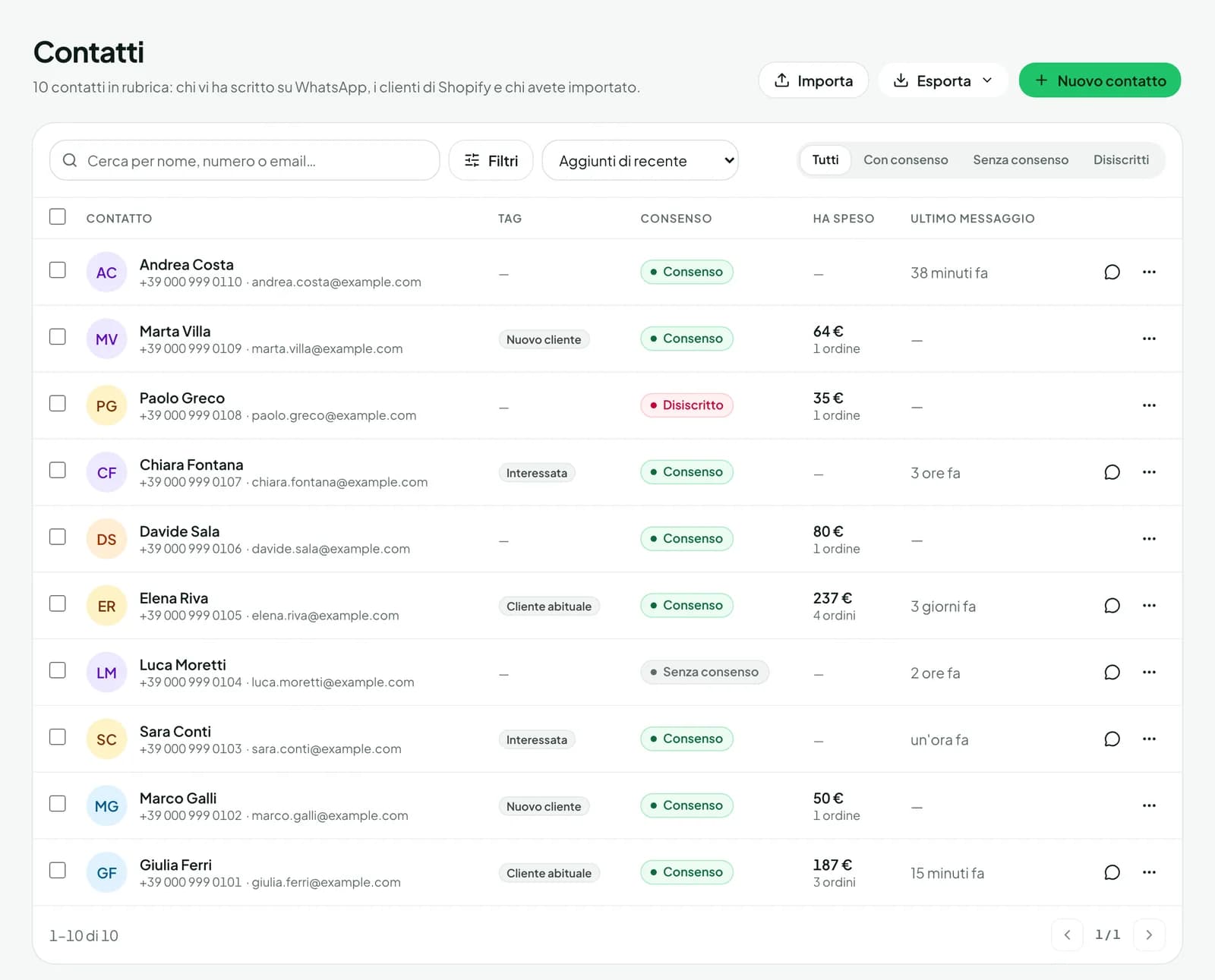
What you get
- CSV or Excel files up to 15 MB and 100,000 rows.
- Numbers fixed automatically and bad rows shown before you import.
- Existing contacts are updated without duplicates, and empty cells never erase anything.
- Consent comes in with its date and the way you collected it.
How it works
- 1
File
In Contacts, press “Import” and choose the CSV or Excel file, or drag it into the window.
- 2
Columns
Gosendly suggests which field each column goes to: phone, first and last name, email, tags, language, country, consent and your custom fields. The only required one is the phone number.
- 3
Options
Choose whether to update existing contacts, the country for numbers without a prefix, how to handle consent, a tag for everyone imported and the list to put them in.
- 4
Review
Before importing, you see how many contacts are ready, how many are new, how many are already in your contacts and which rows have errors, with what will happen to each one.
- 5
Import
Confirm and the import keeps running even if you close the window: contacts appear as they come in. Rows that weren't imported can be downloaded in a file to fix.
Numbers written a thousand ways
In real files, numbers are written any old way: 333 123 4567, 0039 333…, +39-333… Gosendly brings them all into the same format. For those without a prefix you choose the country (Italy, San Marino, Switzerland and others), or the file's country column applies if it has one.
Numbers that look wrong usually aren't imported, because messages never reach numbers that don't exist; if you're sure, you can include them. You can also choose the date format: day/month/year, month/day/year or year-month-day, so 03/04 doesn't end up as the wrong month.
Contacts you already have
Contacts are matched by phone number. With “Update existing contacts” on, the file fills in missing details; if you also turn on replacement, the file's data takes the place of what's in your contacts. Empty cells never erase anything.
Consent, with proof
Importing a list doesn't mean you can send promotions to everyone. For consent you have three options:
- “Don't change consent”: imported contacts stay without consent, or keep the one they had.
- “From the file column”: yes or no for each row, with the date if there's a date column.
- “Everyone gave consent”: only if you collected it from each person and can prove it.
After the import
Write down how you collected consent, for example “newsletter sign-up on the website, with the offers checkbox”: it stays in each contact's log. Anyone who unsubscribed after the file's date stays unsubscribed, because the most recent choice wins. Read more about consent and unsubscribing.
An import usually doesn't trigger automatic flows, because it isn't an action by the customer: if you need them, turn them on with “Trigger automatic flows”. Then you can put the imported contacts in a list and choose who to message.
Frequently asked questions
Which programs can I import from?
From any program that exports a CSV or Excel file: management software, newsletter tools, spreadsheets, other WhatsApp platforms. With Shopify connected you don't need a file: “Import all customers with a phone number” brings customers who have a phone number into your contacts.
Can I send a promotion to imported contacts right away?
Only to those who gave consent: WhatsApp rules require that the person has agreed to receive messages from your store. If the file has no consent, imported contacts stay without it and Gosendly doesn't send them promotions until they give it.
Are tags and custom fields imported too?
Yes. A column of comma-separated tags becomes tags on the contact, and each column can go into one of your custom fields. You can also add a tag to everyone, for example “trade fair 2026”.
What happens to rows with errors?
They aren't imported. In the review you see row, column, value and reason; at the end you download them in a file to fix and upload again.
Keep reading
- FeaturesCustomer contacts with full historyEveryone who messages you on WhatsApp lands in a customer contact list with full history: messages, orders, tags, consent and flows in a single…Read
- FeaturesOpt-in and automatic unsubscribeOn WhatsApp, promotions can only be sent to people who have agreed to them, and anyone who no longer wants them must be able to opt out right away…Read
- FeaturesLists and dynamic segmentsWith Gosendly's lists and dynamic segments, you choose who to message without spreadsheets: “bought in the last 30 days”, “spent more than €100”…Read
- GuidesConsent and GDPR for WhatsApp messagesTo message customers on WhatsApp you need two permissions that go together: the one Meta requires and the one privacy law requires. This guide…Read
More features: Contacts
Contact book, lists and consent always in order.
- Customer contacts with full historyEveryone who messages you on WhatsApp lands in a customer contact list with full history: messages, orders, tags, consent and flows in a single timeline. Before you reply, you already know…Also included in the Free plan
- Lists and dynamic segmentsWith Gosendly's lists and dynamic segments, you choose who to message without spreadsheets: “bought in the last 30 days”, “spent more than €100”, “has the bride tag”. Dynamic lists update…Also included in the Free plan
- Opt-in and automatic unsubscribeOn WhatsApp, promotions can only be sent to people who have agreed to them, and anyone who no longer wants them must be able to opt out right away. Gosendly keeps each customer's marketing…Also included in the Free plan
Sources
- Meta: how to get opt-in(opens in a new tab)Read on October 28, 2026
Sign-ups open soon
Leave your email and we'll tell you when we launch: then you create your account and find a sample store full of data to try right away.
- We'll write to you once
- Every feature when we open
- Sample store already full of data