Campaigns
Tracked links and clicks
You sent the link to your new collection: who opened it? With Gosendly's tracked links every link becomes a personal short link, and clicks are counted per customer, per campaign and per flow, right inside Gosendly with no other tools.
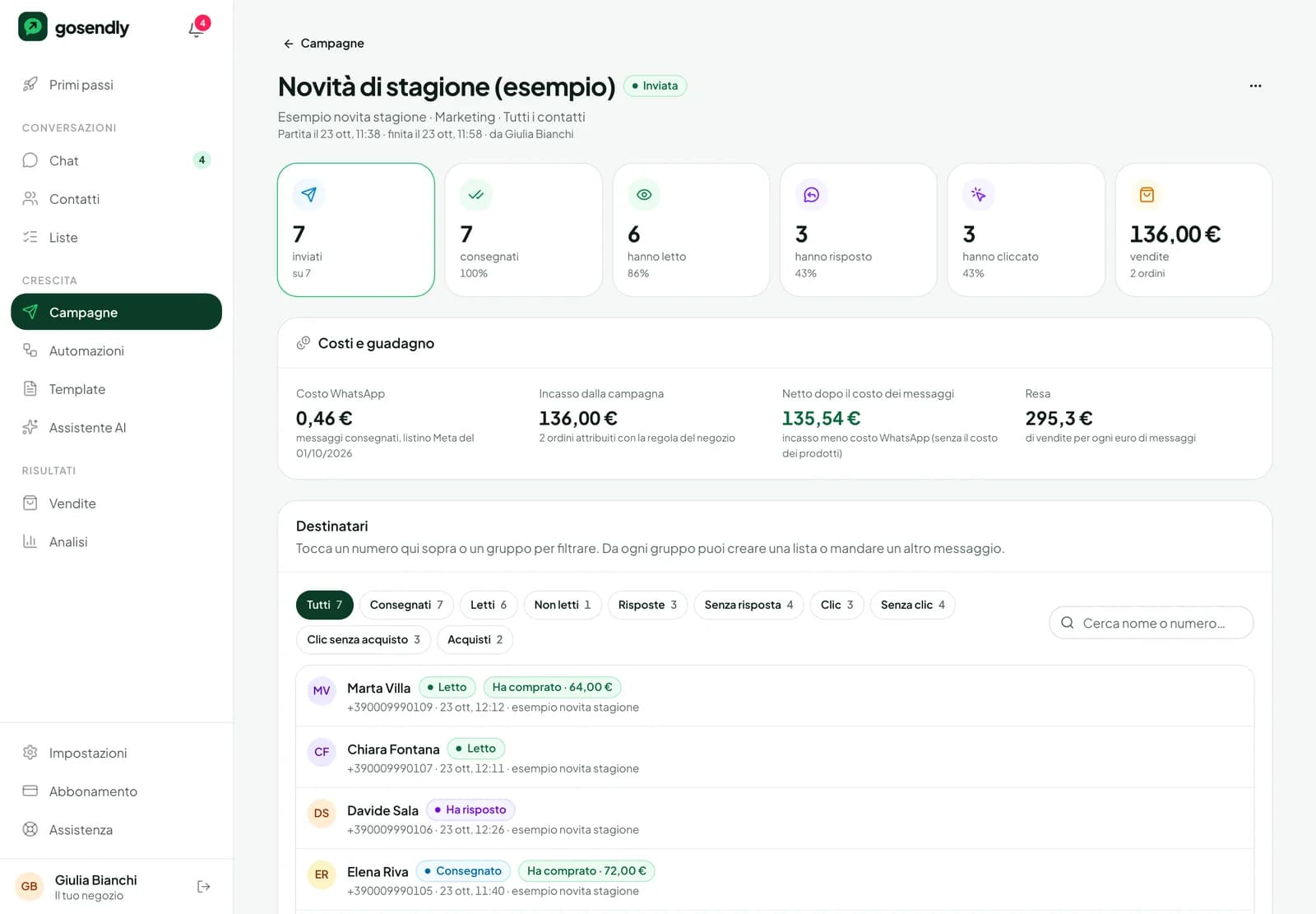
What you get
- You know who clicked, not just how many clicks there were.
- A follow-up only for people who didn't click, or who clicked and didn't buy.
- A click can start a flow or pick the right branch.
- With Shopify connected, the click counts in sales attribution.
How it works
- 1
Automatic in flows
Write the link in the message of a flow step: when it's sent, Gosendly turns it into a personal short link. There's nothing else to do.
- 2
You switch it on in campaigns
In the campaign editor keep “Count link clicks” switched on: the links you write in the template variables become personal short links. With “Add UTM parameters”, Google Analytics and Shopify also recognize the visits from the campaign.
- 3
See who clicked
On the campaign page you'll find “Link clicks”, with clicks by destination and the “Clicked” group. In flows, clicks show up in the stats for each step.
What happens when the customer taps the link
The customer opens the short link and lands straight on your store's page; the click is recorded while the page loads. Gosendly knows who it was because every customer has their own link, and it keeps only a fingerprint of the IP address.
Software that opens links on its own, such as message previews or antivirus tools, is taken to the page but doesn't count as a click.
The right follow-up for every customer
From a campaign's results, tap a group, “Clicked”, “Didn't click” or “Clicked but didn't buy”, and turn it into a list or send it another message. Or set it up in advance: with “Send a reminder”, anyone who doesn't click within the hours you choose gets a second message.
In automations a click is both a trigger, “Link click”, even just for links containing a given word, and a condition: “Clicked a link in this flow” sends people who clicked one way and everyone else the other.
From click to sale
With Shopify connected, the rule for sales attributed to WhatsApp can also count opened links: if the customer clicked and then buys within the number of days you choose, the order is credited to WhatsApp. You'll find the rule in Settings › Store and sales, and the numbers in Analytics.
One limit to know: the text approved by Meta
A template's text is approved by Meta and doesn't change with each send: a link hard-coded in the approved text can't be turned into a personal link. To count its clicks, put the link in a template variable, or use a link button whose address starts with Gosendly's short-link address: in the campaign you just write where it should go, and “Tracked link” appears next to it.
- Links in flow messages: tracked automatically.
- Links in template variables: tracked with “Count link clicks”.
- Links hard-coded in the approved text: can't be tracked.
Frequently asked questions
Do I need Google Analytics to count clicks?
No, clicks are counted inside Gosendly, customer by customer. UTM parameters are only needed if you also want to see the same visits in Google Analytics or Shopify.
Will the short link put customers off?
The customer sees a Gosendly short link and, by tapping it, lands straight on your store's page. If you prefer, write in the message where it leads first, for example “See the sale here:”.
Which plan includes tracked links?
In flows, every plan, including Free with its 3 automations. In campaigns you need a paid plan, because that's where campaigns are included.
Can I count clicks on links typed by hand in the chat?
No: clicks are counted on links in flow and campaign messages. A link typed by an agent in the chat stays the original link.
Keep reading
- FeaturesWhatsApp campaignsSales, a new collection, the last pieces before Christmas: with Gosendly's WhatsApp campaigns you send one message to many customers at once. Before…Read
- FeaturesBlock-based WhatsApp automationGosendly's WhatsApp automations are messages that go out on their own at the right moment and stop when they're no longer needed: as soon as the…Read
- FeaturesAnalytics: how much you sell thanks to WhatsAppDoes WhatsApp bring in sales, or just extra work? Gosendly's sales analytics answers with your store's real orders: how much revenue you made thanks…Read
- SolutionsPromotions and launches on WhatsApp, without burning your numberA launch, Black Friday, a sale, a product back in stock. With Gosendly's WhatsApp promotions you only message people who asked for them, at the…Read
- SolutionsRecover abandoned carts with WhatsAppA reminder 45 minutes later, a second message the next day and a discount only when it makes sense: abandoned cart recovery on WhatsApp with…Read
More features: Campaigns
Promotions and launches with Meta-approved templates.
- WhatsApp campaignsSales, a new collection, the last pieces before Christmas: with Gosendly's WhatsApp campaigns you send one message to many customers at once. Before sending you see who will actually get…Included in all paid plans
- Sending rules that protect your numberA customer who gets too many offers blocks or reports your number, and quality drops for everyone. Gosendly's sending rules apply to campaigns and marketing flows, are switched on by…Also included in the Free plan
Sign-ups open soon
Leave your email and we'll tell you when we launch: then you create your account and find a sample store full of data to try right away.
- We'll write to you once
- Every feature when we open
- Sample store already full of data