Data and security
Security, roles and privacy
A store's chats contain names, addresses and orders. Gosendly protects them with team roles, two-step verification at login and servers in Germany, and gives you the tools to respond when a customer asks for their data or for it to be deleted.
What you get
- Everyone logs in with their own access and sees only what they need.
- Two-step verification required for owners and admins as soon as the store works with real data.
- App and database on servers in Germany, with a full backup every night.
- Export or delete a customer's data in a few clicks, with a receipt.
How it works
- 1
Give everyone their role
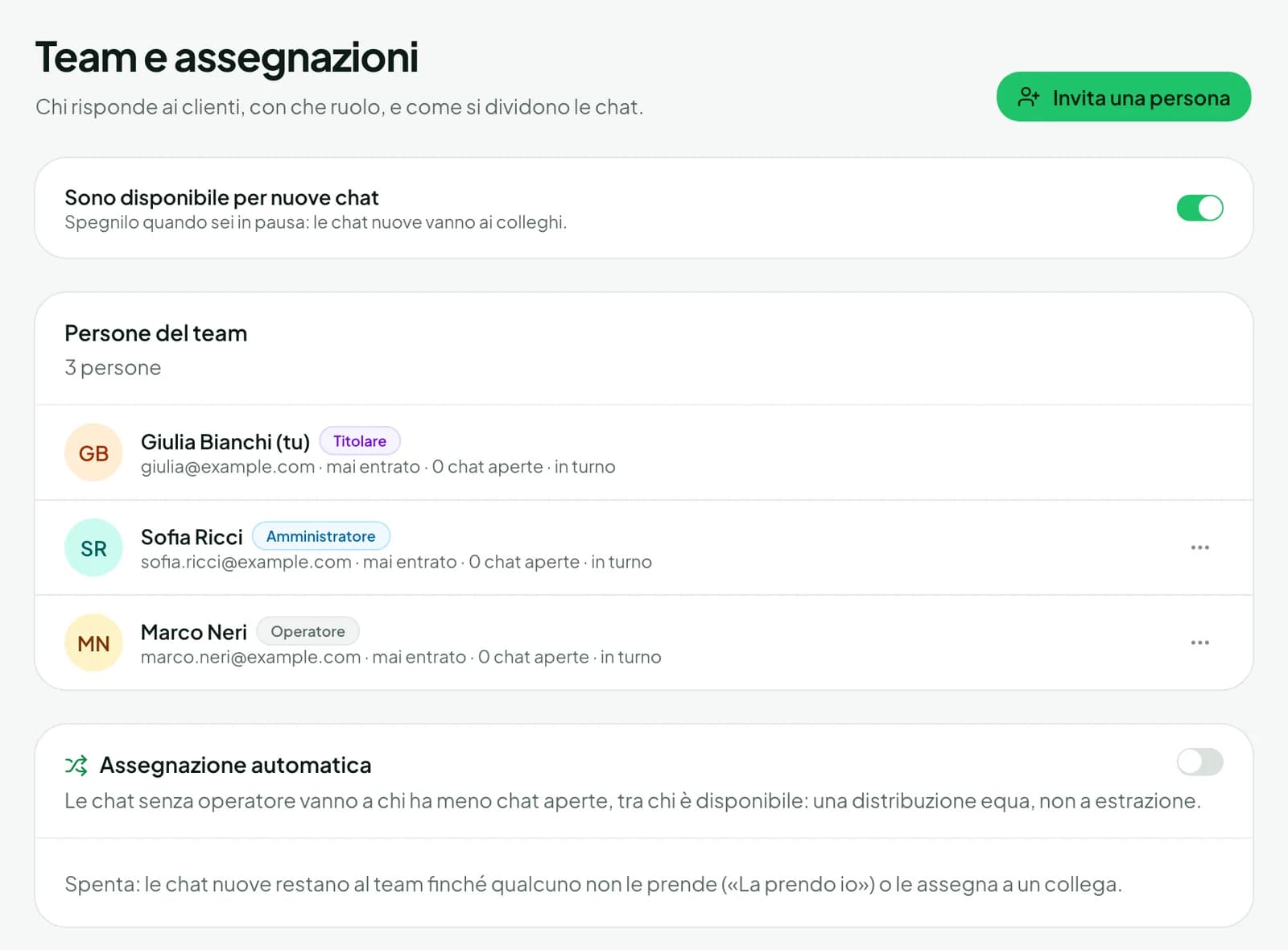
In Settings › Team and assignments, each person has a role: Owner, Admin or Agent. In “What agents see” you choose whether they see all chats, their own plus unassigned ones, or only their own.
- 2
Turn on two-step verification
In Your account, click “Turn on two-step verification”: at login, besides the password, you need the code that changes every 30 seconds in the authenticator app on your phone. Save the recovery codes for when you don't have your phone.
- 3
Decide how long to keep files
In Privacy and consent, choose how long to keep photos, videos and documents from chats: from 3 to 24 months, with 12 recommended.
Team roles and access
The Owner can do everything, including subscription, team and settings. The Admin can do everything except manage owners. The Agent replies to customers in the chats the store's rules let them see. Exporting contacts and deleting them along with their history is reserved for owners and admins.
For seasonal help there's time-limited access: it closes on its own on the date you pick. In “Active sessions” you see which devices you've logged in from and sign out the ones you don't recognize; with “Sign out of other sessions”, a page left open elsewhere loses access within 15 minutes.
Two-step verification for those holding the keys
Owners and admins can see and change everything, so for them two-step verification becomes mandatory when the store connects its WhatsApp number or Shopify. During the trial it's recommended. For them it can't be turned off: if you change phones, you move it with “Move two-step verification to another phone”.
Where your data lives
The Gosendly app and database run on IONOS servers in Germany. Connections to WhatsApp and Shopify and flow secrets are encrypted; passwords and API keys are stored only as hashes. Every night a full backup of the database is made and kept for 14 days.
WhatsApp messages go through Meta's servers, and the AI assistant uses Google's Gemini through the paid API: store data doesn't train any model. The full list, with location and what each provider processes, is on the public Security and providers page.
When a customer asks for their data
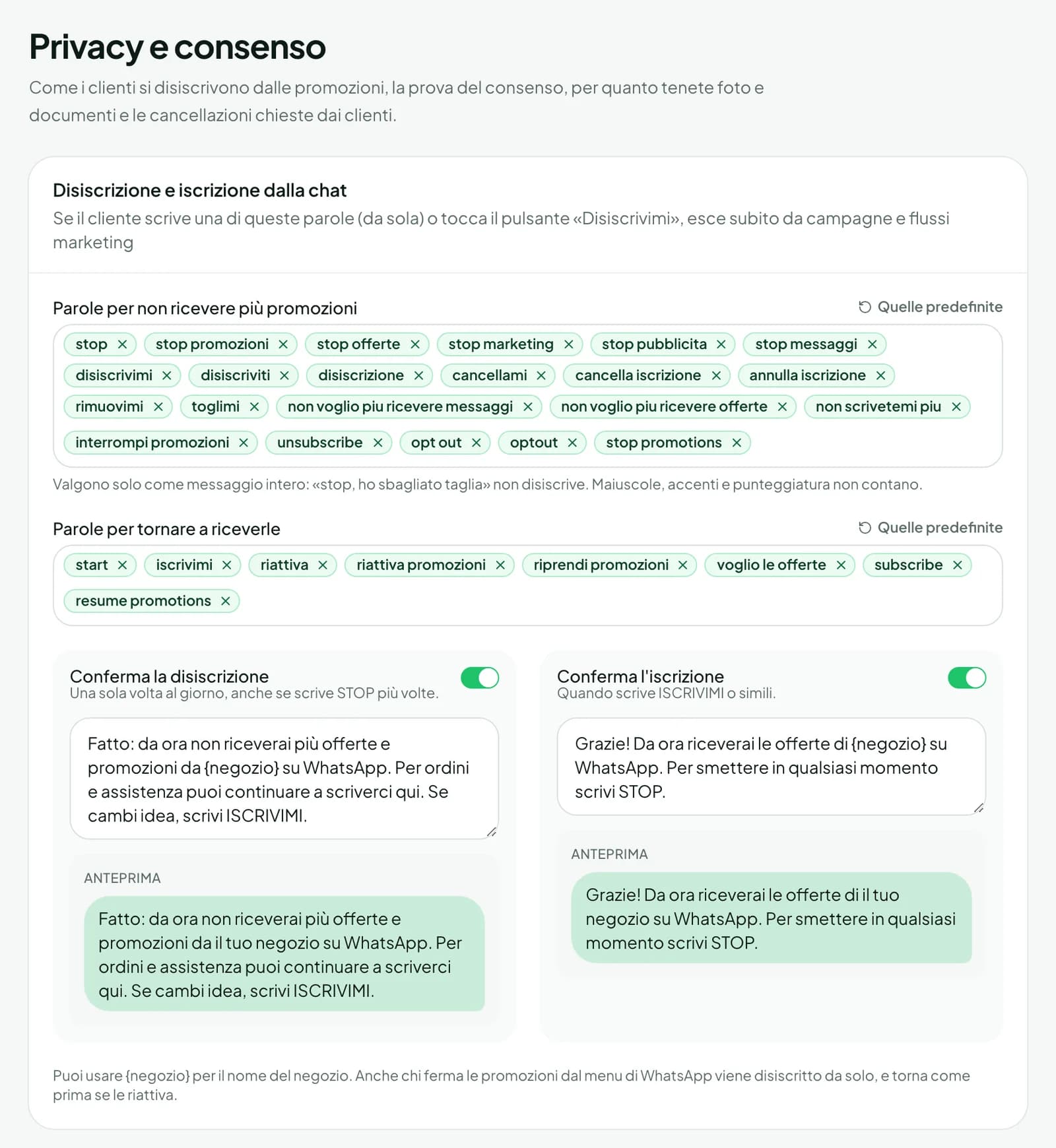
From the contact's card, “Download all their data” prepares a file to send to the customer. If they ask for deletion, the owner or an admin deletes the contact along with their history: chats, messages, files, notes and timeline. Privacy and consent keeps the receipts, without the customer's name.
Your own data is yours: in Your account, “Download everything” exports the entire store whenever you want. Consent to promotions has its own log, explained on the marketing consent page.
Frequently asked questions
Where are Gosendly's servers?
In Germany, with IONOS, in the European Union. The other providers, such as Meta for WhatsApp messages and Google for the AI assistant, are listed on the Security and providers page with their terms.
Can an agent download the whole contact list?
No. Exporting contacts and deleting a contact along with their history can only be done by the owner and admins.
How long are chats kept?
Text stays as long as the account is active. Photos, videos and documents are deleted after the period you choose, from 3 to 24 months; if you shorten it, older files are deleted at the next nightly cleanup, or right away with “Clean up now”.
Does Gosendly use my chats to train AI?
No. Store data doesn't train any artificial intelligence model, and the assistant works with Google's paid API, which under its terms doesn't use prompts and responses to improve its products.
Keep reading
- FeaturesOpt-in and automatic unsubscribeOn WhatsApp, promotions can only be sent to people who have agreed to them, and anyone who no longer wants them must be able to opt out right away…Read
- FeaturesAutomatic chat assignmentWhen several people reply from the same number, you need to know who is handling which customer. With automatic chat assignment, Gosendly hands each…Read
- FeaturesCustomer contacts with full historyEveryone who messages you on WhatsApp lands in a customer contact list with full history: messages, orders, tags, consent and flows in a single…Read
- GuidesConsent and GDPR for WhatsApp messagesTo message customers on WhatsApp you need two permissions that go together: the one Meta requires and the one privacy law requires. This guide…Read
- GosendlySecurity and providersRead
More features: Data and security
How much you sell thanks to WhatsApp, roles and privacy.
Sign-ups open soon
Leave your email and we'll tell you when we launch: then you create your account and find a sample store full of data to try right away.
- We'll write to you once
- Every feature when we open
- Sample store already full of data