Conversations
Internal notes and mentions
“Already asked for a size exchange”, “refund done, waiting for the parcel”: that's information for the team, not for the customer. In Gosendly you write it as internal notes inside the WhatsApp chat, and whoever needs to know gets an alert.
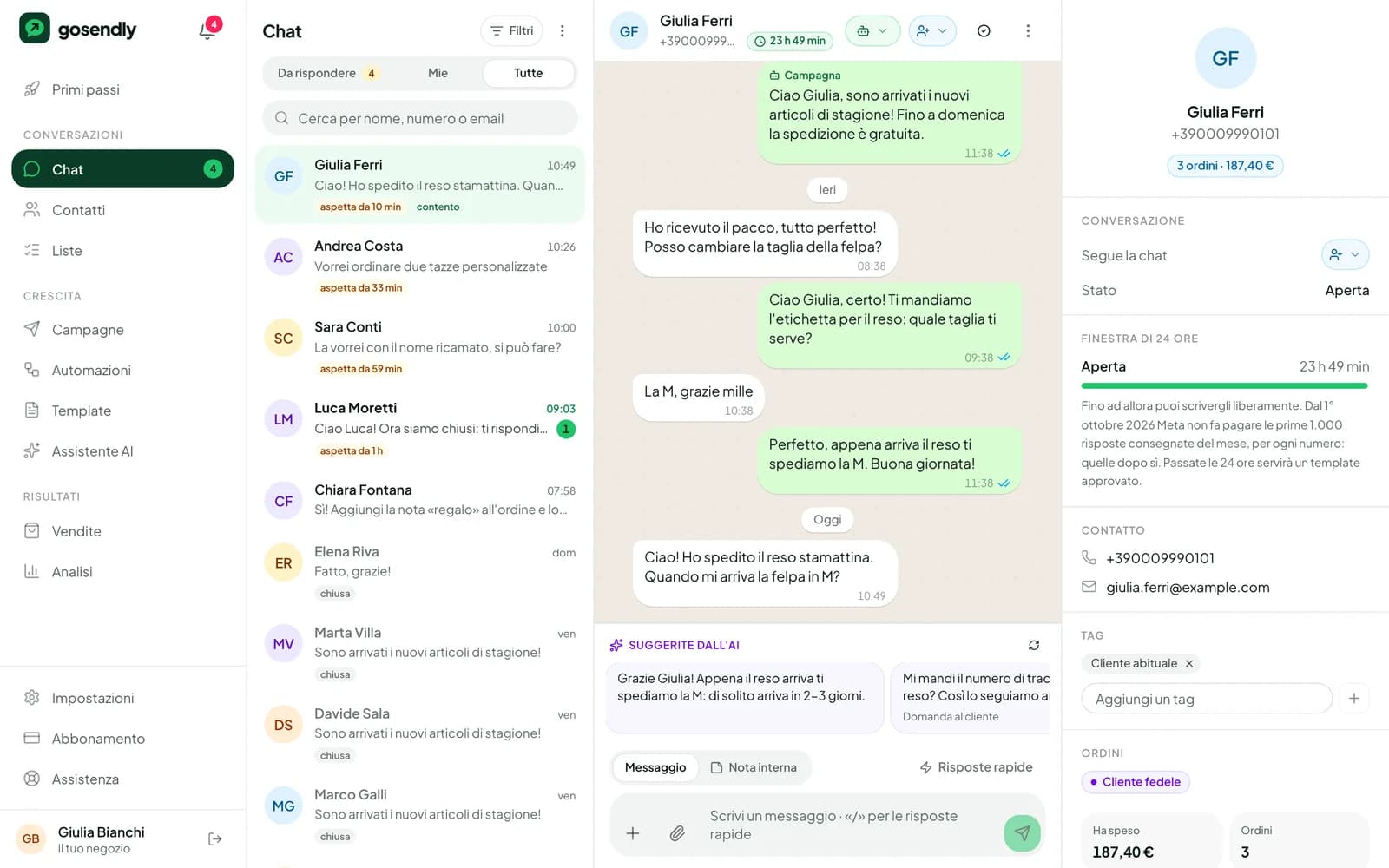
What you get
- Notes sit in the chat, between messages, but the customer never receives them.
- With @name you alert the right teammate, and the alert takes them straight to the note.
- Important notes can be pinned to the customer profile, always in view.
- Flows write notes on their own too, with the customer's details.
How it works
- 1
Switch to “Internal note”
Above the chat's text box, tap “Internal note” instead of “Message”: the box turns yellow to remind you that only the team sees the note.
- 2
Write and mention
Write the note; to involve someone, type @ and pick the teammate from the list. Then press the yellow “Save note” button next to the box.
- 3
Pin what matters
From the note's menu choose “Pin to profile”: you'll find it in “Pinned notes”, in the customer profile, every time you open their chat.
- 4
Review notes only
From the chat menu, under “Show in chat”, choose “Internal notes only” to review the team's work, or “Messages only” for the clean conversation.
Context stays inside the chat
A custom order goes through three people: whoever replies, whoever prepares it, whoever ships it. If the name to engrave or the chosen color stays in a private message between coworkers, sooner or later it gets lost. With internal notes the information sits in the customer's chat, at the right point in the conversation: “Internal note · Marta”, with the time.
Notes also go into the customer's history, in their profile, along with orders, tags and consent. Whoever opens the chat a month from now understands right away what happened. If you sell personalized products, it's the place to keep the agreed details.
Mentions: the alert reaches the right person
When you type @, “Mention a teammate: they'll get an alert” appears. Your teammate finds “Marta mentioned you in the chat with Giulia Rossi” in the bell, with the start of the note; tapping it opens the chat with the note highlighted. If they've turned on phone notifications, they know even when away from the computer.
You can only mention active team members, and nobody gets an alert for their own note.
Notes pinned to the customer profile
Some things hold forever: “wants delivery to the office address”, “reseller: wholesale price list”. Pin them to the profile and they appear in “Pinned notes” in every chat with that customer. When they're no longer needed, “Unpin from profile”.
Notes written by flows
In automations, the “Internal note” step leaves a note while the flow runs, with the customer's variables: for example “Asked to return order #1043”, with the order number filled in. In the chat it appears as written by “Automation”, so you know a teammate didn't write it.
- Notes stay within the team: they are never sent to the customer on WhatsApp.
- A note can be deleted by whoever wrote it, the owner or an admin.
Frequently asked questions
Can the customer see internal notes?
No. Notes stay in Gosendly and are never sent on WhatsApp: only the team sees them, in the chat and in the customer's history.
How do I alert a teammate about a specific chat?
Write an internal note and type @ followed by their name. They get an alert in the bell, and on their phone if they've turned on notifications; tapping it takes them to the note.
Can I edit a note after saving it?
No: you can pin it to the profile, unpin it, or delete it and write a new one. It can be deleted by whoever wrote it, the owner and admins.
Do internal notes cost the same as WhatsApp messages?
No, notes don't go through WhatsApp and have no Meta fees. They're included on every plan, Free too.
Keep reading
- FeaturesShared WhatsApp inbox for your teamWith the Gosendly shared WhatsApp inbox, your whole team replies from the store's same number, each person with their own login, from a computer or…Read
- FeaturesAutomatic chat assignmentWhen several people reply from the same number, you need to know who is handling which customer. With automatic chat assignment, Gosendly hands each…Read
- FeaturesCustomer contacts with full historyEveryone who messages you on WhatsApp lands in a customer contact list with full history: messages, orders, tags, consent and flows in a single…Read
- FeaturesBlock-based WhatsApp automationGosendly's WhatsApp automations are messages that go out on their own at the right moment and stop when they're no longer needed: as soon as the…Read
- IndustriesWhatsApp for personalized productsEvery personalized order needs something from the customer and their "yes" before it goes into production. With WhatsApp for personalized products…Read
More features: Conversations
Reply to customers with your team, from the same chat.
- Shared WhatsApp inbox for your teamWith the Gosendly shared WhatsApp inbox, your whole team replies from the store's same number, each person with their own login, from a computer or a phone. You see who handles each chat…Also included in the Free plan
- Quick replies with variablesShipping, returns, sizes, delivery times: the questions are always the same. With Gosendly quick replies you type “/” in the chat, pick the reply and the text arrives already filled in…Also included in the Free plan
- Automatic chat assignmentWhen several people reply from the same number, you need to know who is handling which customer. With automatic chat assignment, Gosendly hands each conversation to a team member: whoever…Also included in the Free plan
- Notifications on phone and computerA customer writes while you're in the stockroom packing orders: if you don't notice, they wait for hours. Gosendly sends you a notification on your phone or computer when a customer is…Also included in the Free plan
- Business hours, holidays and away messageA customer messages you at 10 p.m. on Sunday and has no idea if anyone will read it. With your store hours set in Gosendly, they instantly get the away message, and on Monday morning their…Also included in the Free plan
Sign-ups open soon
Leave your email and we'll tell you when we launch: then you create your account and find a sample store full of data to try right away.
- We'll write to you once
- Every feature when we open
- Sample store already full of data